Product updates

What's new in
the platform

Every improvement to the platform, newest first, each with a short clip or screenshot from a demonstration company. Updates land most weeks. Anything marked on request is switched on for your organisation when you want it.

October 2026

10 updates

On request Admin portal

Export reviews and 1:1s for the HR file

What it is. HR exports a person's reviews, 1:1 agendas, shared notes and actions, and recognition for the dates they choose, as one PDF. They can download it or save it to the person's Performance records, which only HR can see. Private 1:1 notes are never included.

What it does for you. The evidence for a pay, bonus or performance conversation is in one document on the person's file, not scattered across notes.

Ask us to switch it on
Performance records on an employee's page, with a saved PDF for the year so far
Demonstration company. Everyone shown is made up.
On request Employee app and admin portal

Goals and 1:1s

What it is. Company and team goals with measurable results that people's own objectives link to, and regular 1:1s with a shared agenda, notes and actions.

What it does for you. Everyone can see how their work connects to the company's goals, and 1:1s stop being forgotten or unstructured.

Ask us to switch it on
Demonstration company. Everyone shown is made up.
On request Admin portal

Finance login and exports

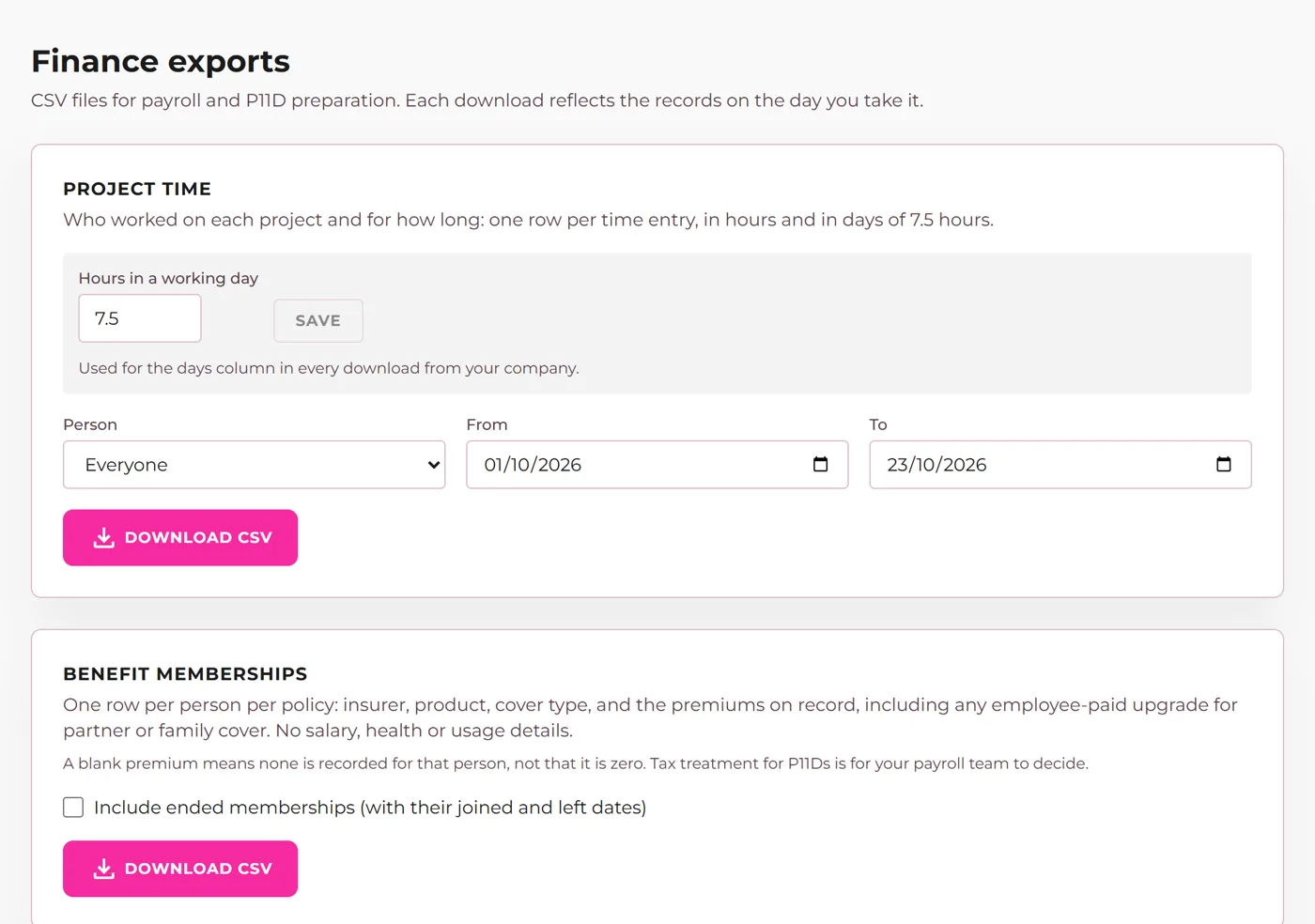
What it is. Give named people a Finance login that sees one page: project time in hours and days, and benefit memberships, ready to download for payroll and P11Ds. Each company sets its own working day for the days column.

What it does for you. Finance gets what it needs every month without HR exporting it by hand, and without seeing salaries, health or usage data.

How it works, in the help docs Ask us to switch it on
The Finance page with time and benefit exports
Demonstration company. Everyone shown is made up.
On request Admin portal

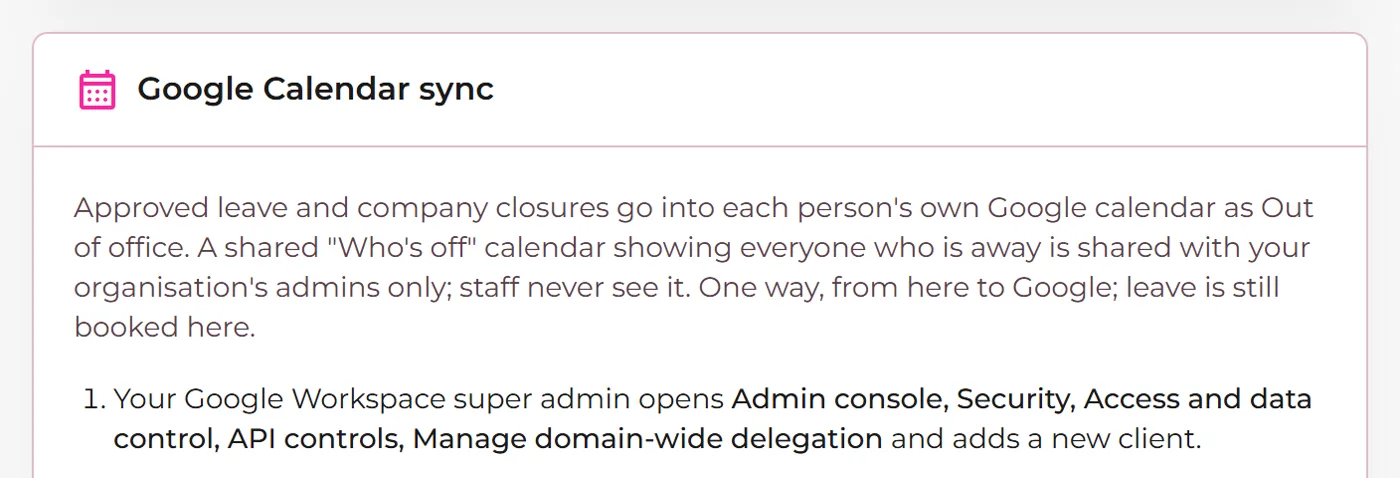
Google Calendar sync

What it is. Approved leave and company closures appear in each person's Google Calendar as out of office, and admins get a shared calendar of who is off.

What it does for you. Meetings stop landing on someone's day off.

Ask us to switch it on
The Google Calendar setting in the admin portal
Demonstration company. Everyone shown is made up.
On request Employee app

Individual policies

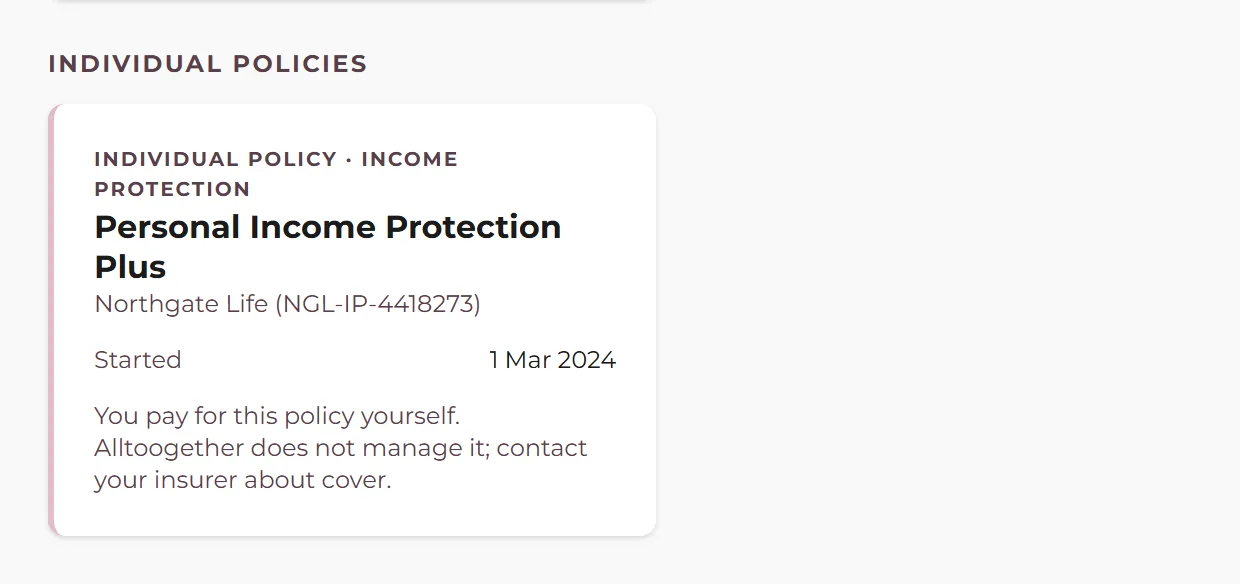
What it is. Our team can record policies a person pays for themselves, such as their own income protection, so they appear beside the company benefits. Only that person sees them.

What it does for you. People see all their cover in one place, and the employer never sees policies that are private to the employee.

How it works, in the help docs Ask us to switch it on
An individual policy shown on an employee's Benefits page
Demonstration company. Everyone shown is made up.
On request Employee app and admin portal

Reviews

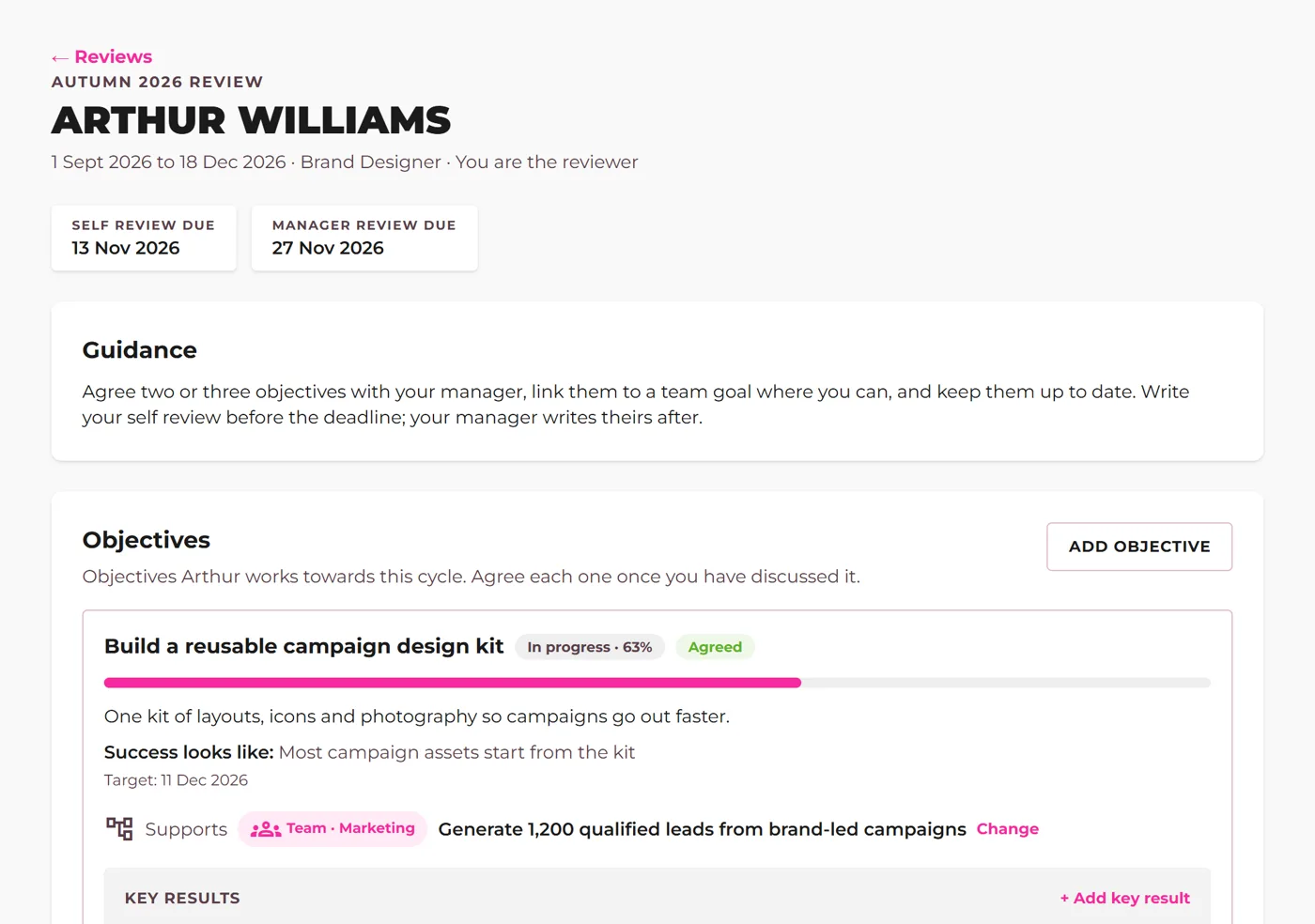
What it is. Review cycles with objectives agreed between each person and their manager, check-in notes through the year, a self review and a manager review, and HR sign-off before the result is shared.

What it does for you. Reviews happen on time, in one place, with the evidence gathered through the year rather than remembered at the end.

Ask us to switch it on
A review with agreed objectives and a manager's comments
Demonstration company. Everyone shown is made up.
On request Admin portal

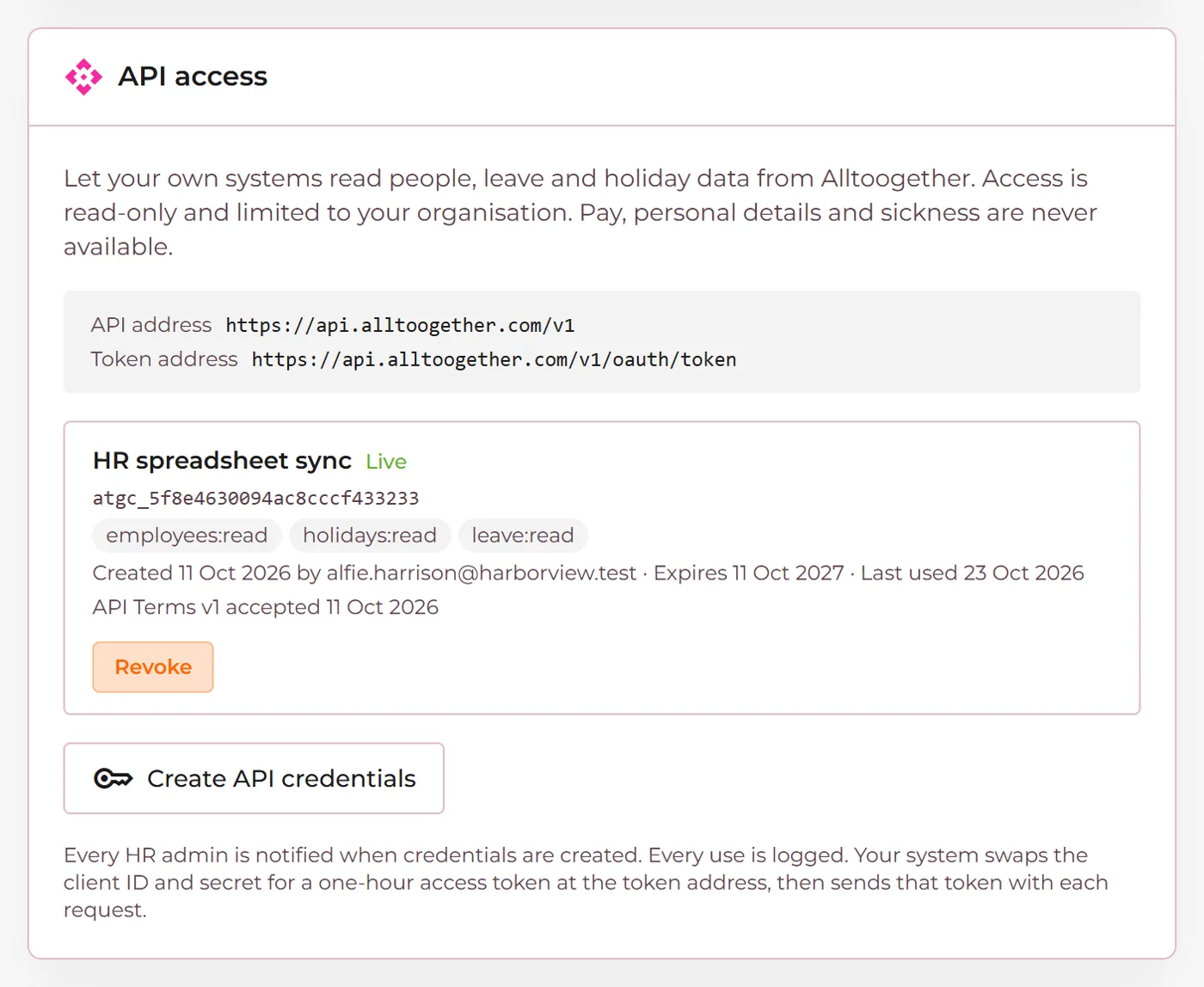
API access

What it is. Read-only API credentials so your own systems can read names, jobs, teams, start and leaving dates and annual leave. Never pay, contact details or sickness.

What it does for you. Your other tools stay up to date with your people without anyone copying data across.

How it works, in the help docs Ask us to switch it on
API credentials in the admin portal settings
Demonstration company. Everyone shown is made up.
Employee app

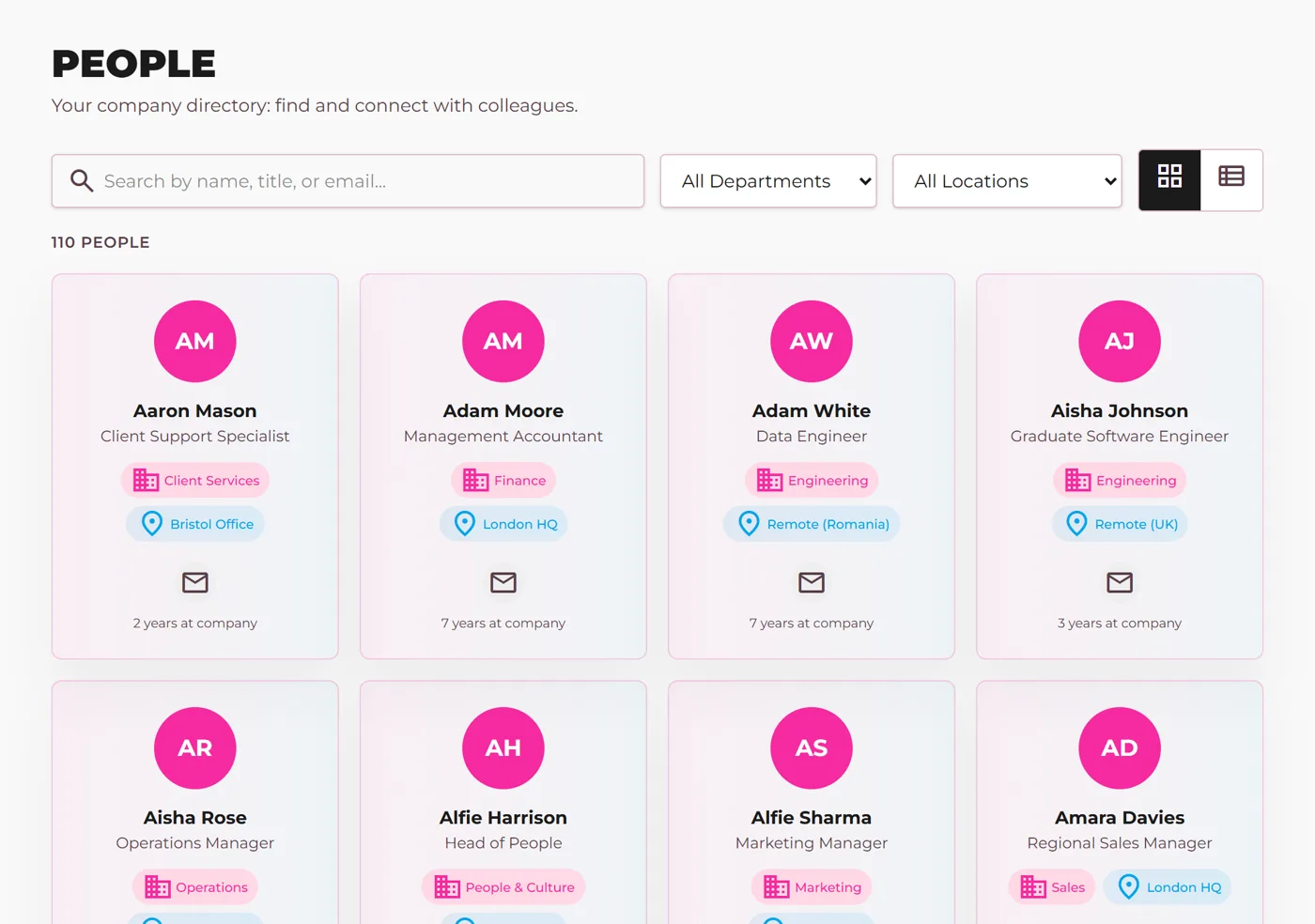
People directory and birthdays

What it is. A People page with every colleague's job, team and length of service, and a birthdays card on the home page.

What it does for you. New starters learn who is who, and teams remember the days that matter to each other.

How it works, in the help docs
The People directory of a demonstration company
Demonstration company. Everyone shown is made up.
On request Employee app and admin portal

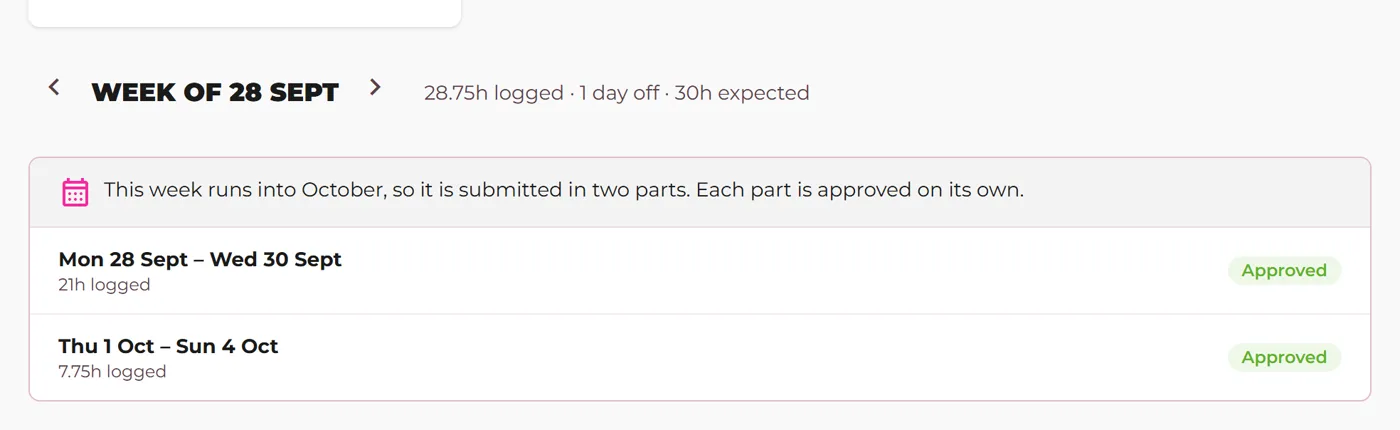
Timesheets split at month end

What it is. A week that runs into a new month is submitted and approved in two parts.

What it does for you. A whole month's hours can be approved and invoiced on the last day of the month, without waiting for the week to finish.

How it works, in the help docs Ask us to switch it on
A timesheet week shown in two parts either side of the month end
Demonstration company. Everyone shown is made up.

September 2026

7 updates

On request Admin portal

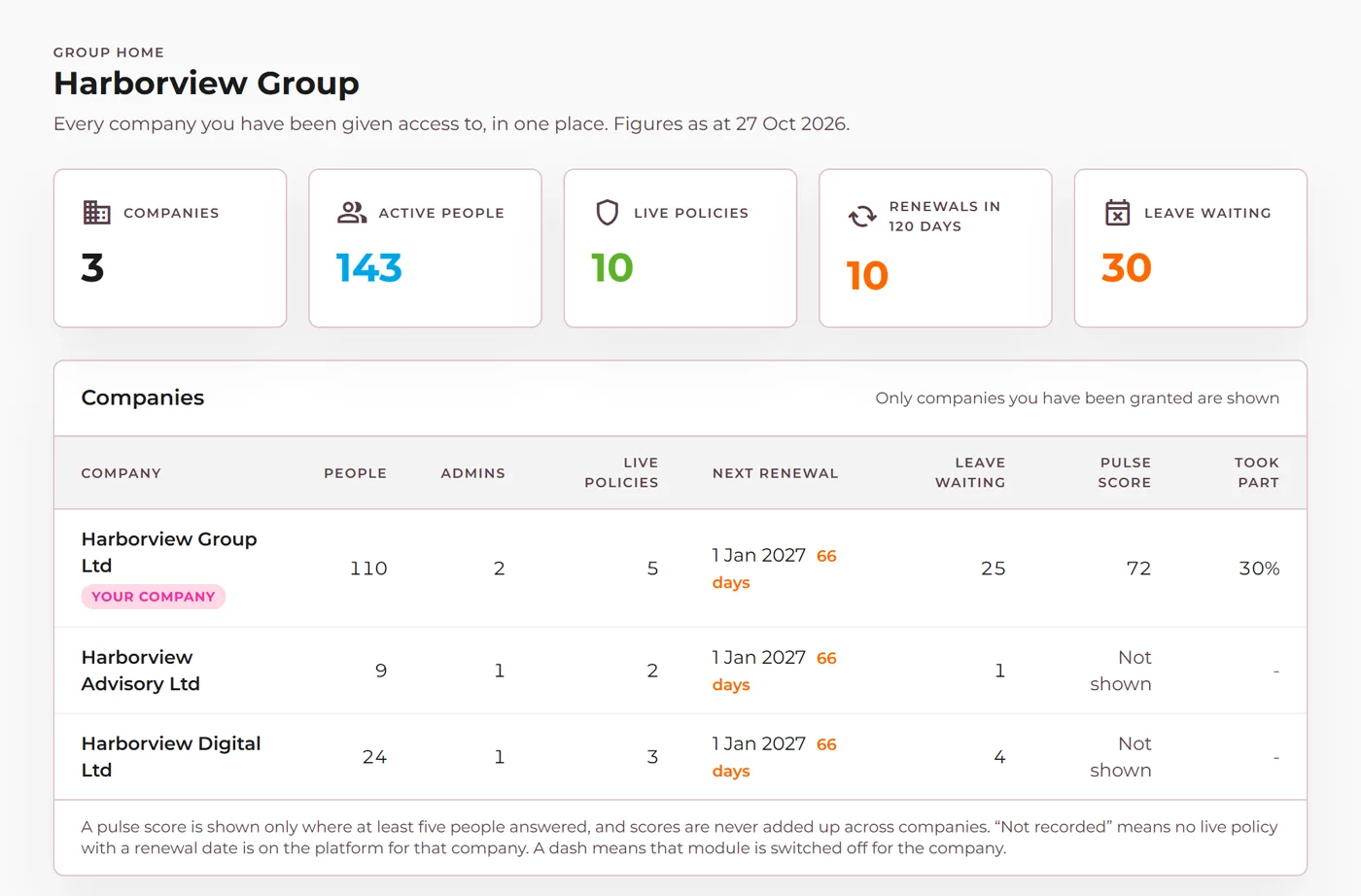
Group administration

What it is. One group workspace for a group of companies. A group admin opens each company as its own admin, with each company's data kept apart.

What it does for you. A group HR team runs every entity from one login without mixing their data.

Ask us to switch it on
Group Home listing the companies a group admin can open
Demonstration company. Everyone shown is made up.
On request Employee app and admin portal

Company Documents with sign-off

What it is. Publish handbooks and policies. Staff read them in the app and confirm they have, and a new version asks again.

What it does for you. A clear record of who has read each policy, without chasing signatures by email.

How it works, in the help docs Ask us to switch it on
Demonstration company. Everyone shown is made up.
On request Admin portal and employee app

Bank holidays by country

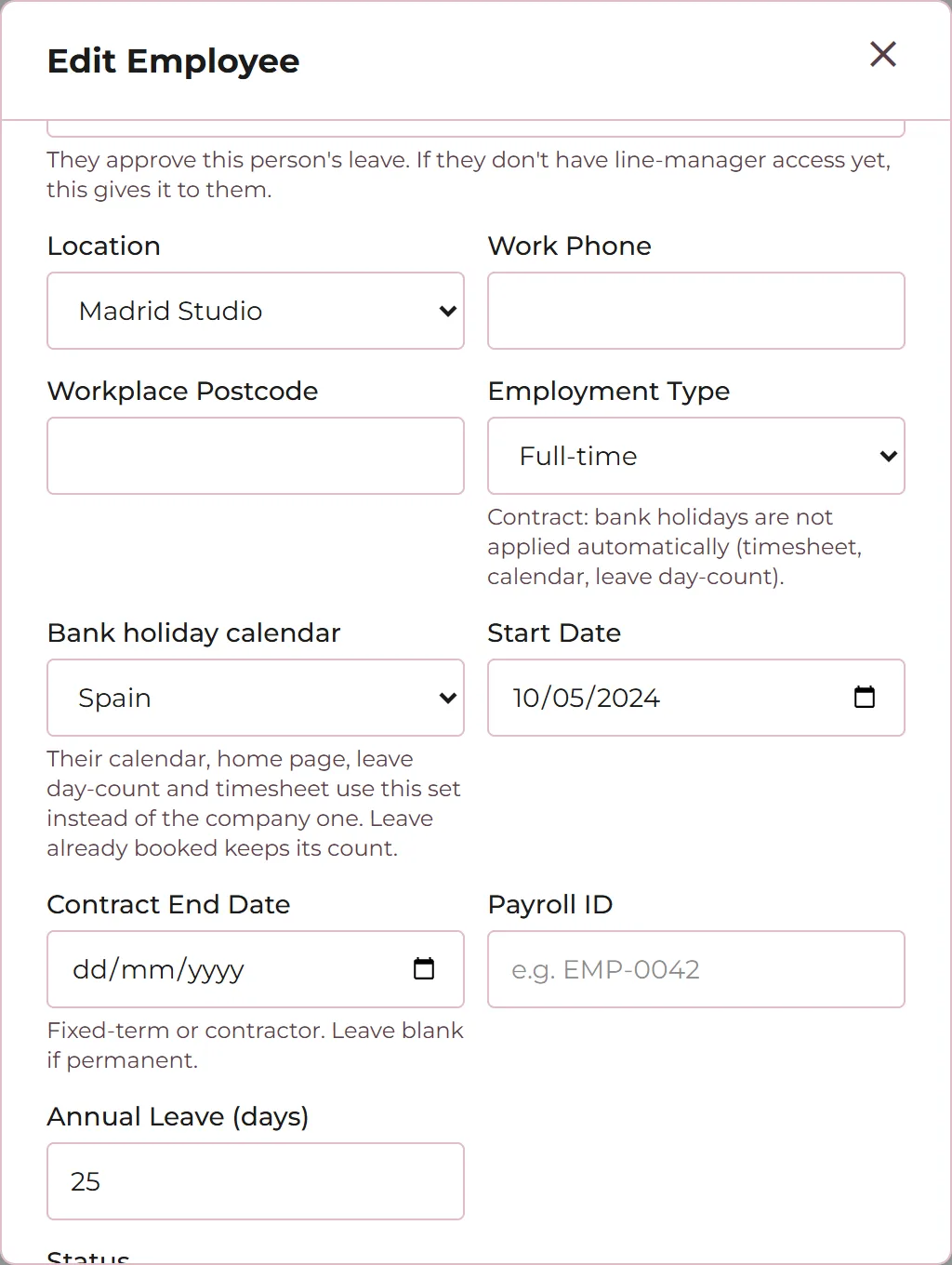
What it is. Ireland, Spain, Romania and US calendars sit alongside the UK ones. Set one for the whole company, or put one person on their own country's calendar.

What it does for you. People working abroad get the right days off and the right allowance, without manual workarounds.

How it works, in the help docs Ask us to switch it on
Choosing a bank holiday calendar for one employee
Demonstration company. Everyone shown is made up.
Employee app

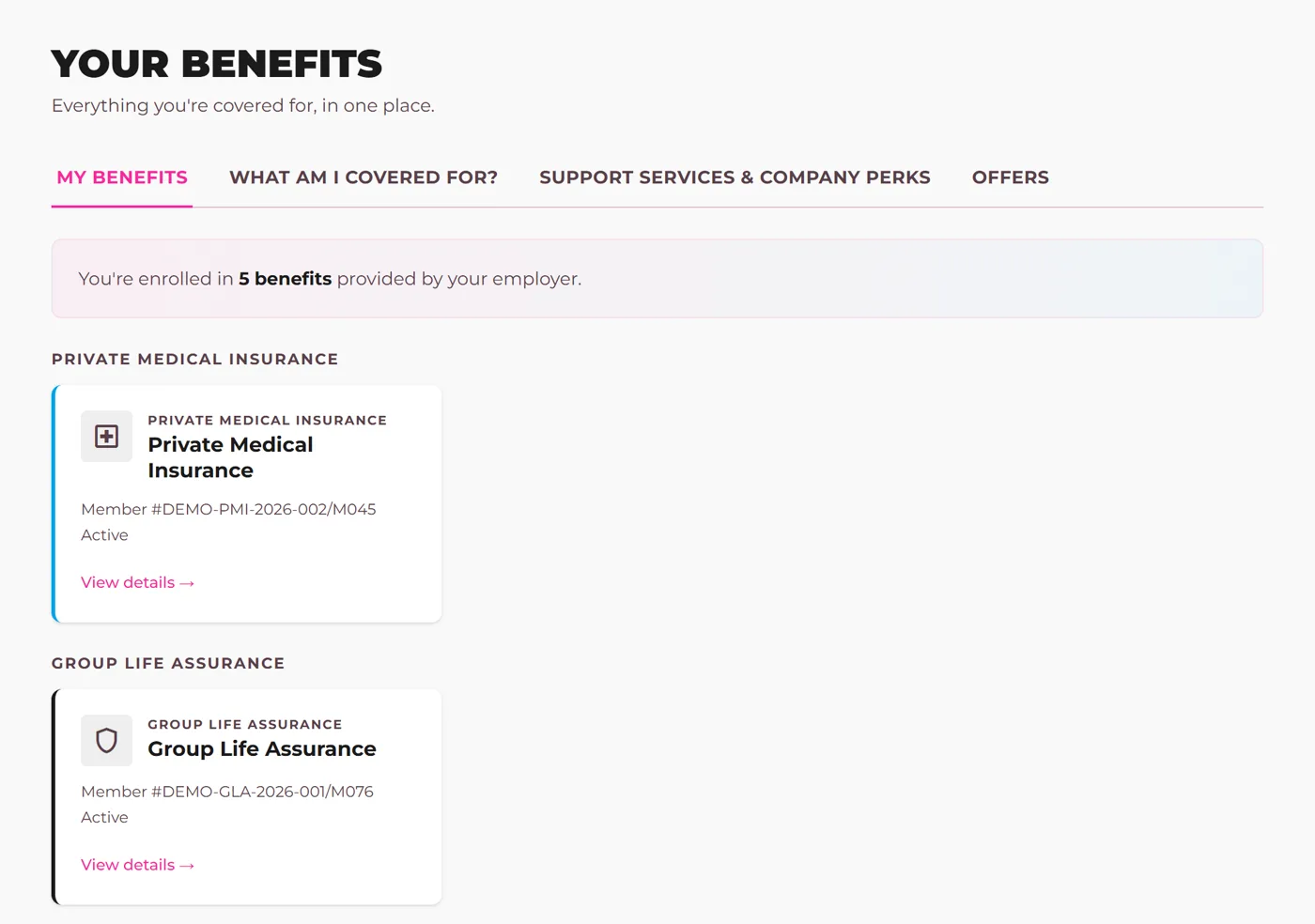
Every benefit in one place

What it is. Each benefit a person belongs to, what it covers in plain English and how to use it, with the support services that come with each policy. Arrangements the employer runs itself, such as a gym contract, sit beside the insured benefits and are reconfirmed every 30 days.

What it does for you. People find and use the cover you already pay for, without hunting through emails or asking HR.

How it works, in the help docs
The Benefits page in the employee app, listing a demonstration company's policies
Demonstration company. Everyone shown is made up.
Employee app

Total Reward statements

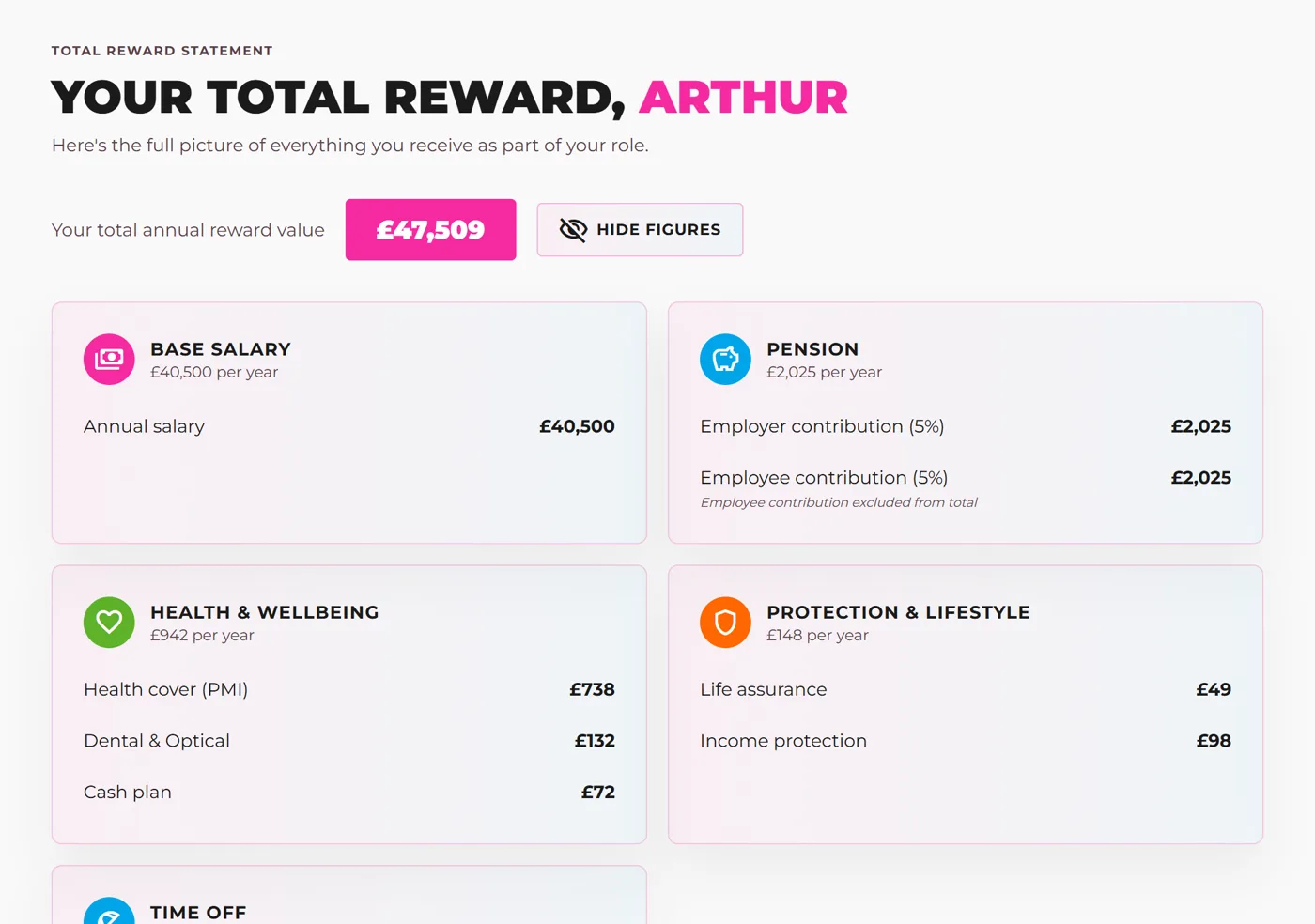
What it is. Each person's whole package as one figure: pay, the employer pension and the value of every company-paid benefit.

What it does for you. People see what their employer really spends on them, not just the number on the payslip.

How it works, in the help docs
A Total Reward statement for a made-up employee
Demonstration company. Everyone shown is made up.
On request Employee app and admin portal

Timesheet approvals

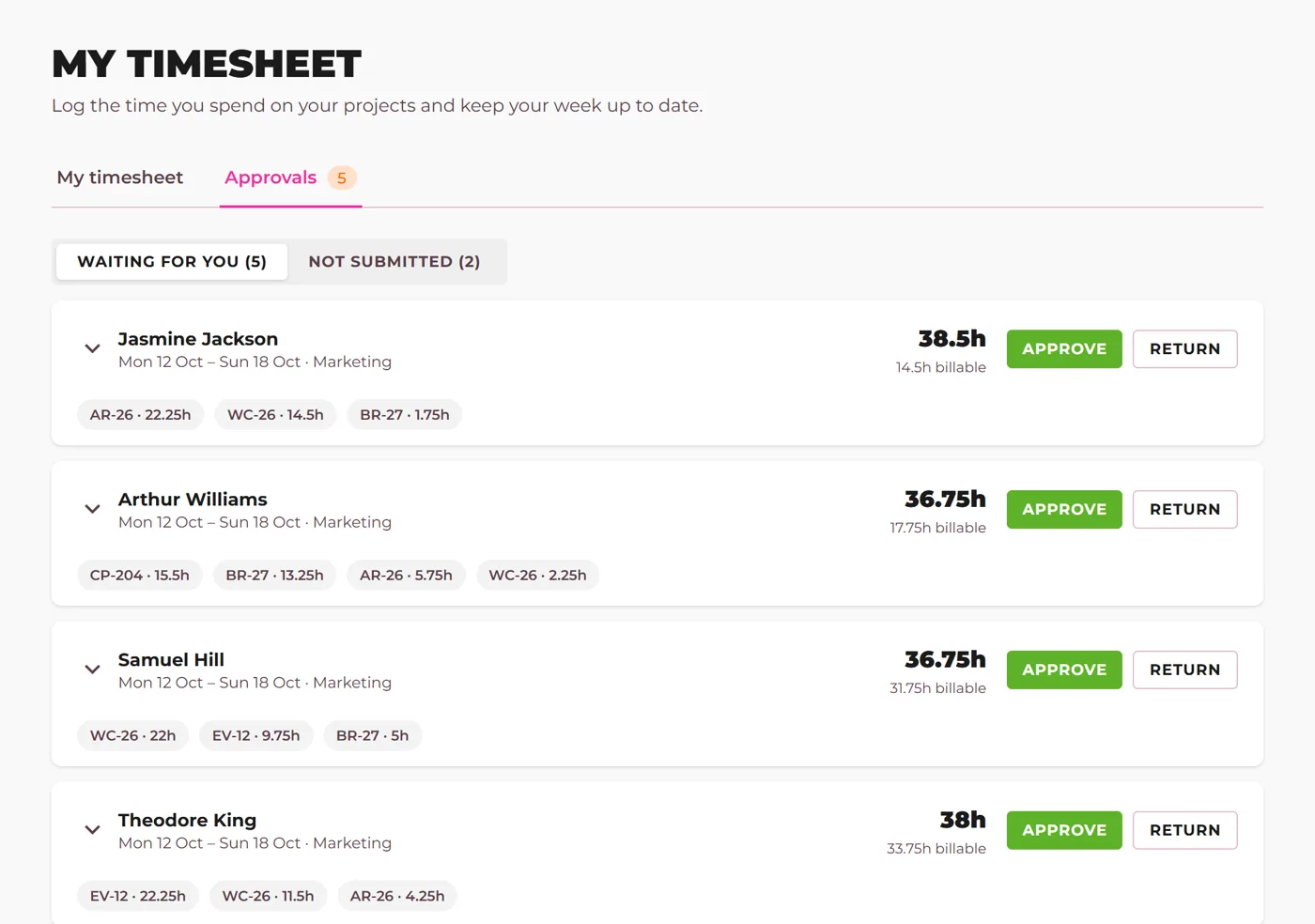
What it is. Each week is submitted for approval. Project leads approve their projects' time, and HR approves the leads.

What it does for you. Only checked hours reach billing and payroll, with a record of who approved what.

How it works, in the help docs Ask us to switch it on
A project lead's list of timesheets waiting for approval
Demonstration company. Everyone shown is made up.

August 2026

13 updates

On request Employee app

Peer recognition

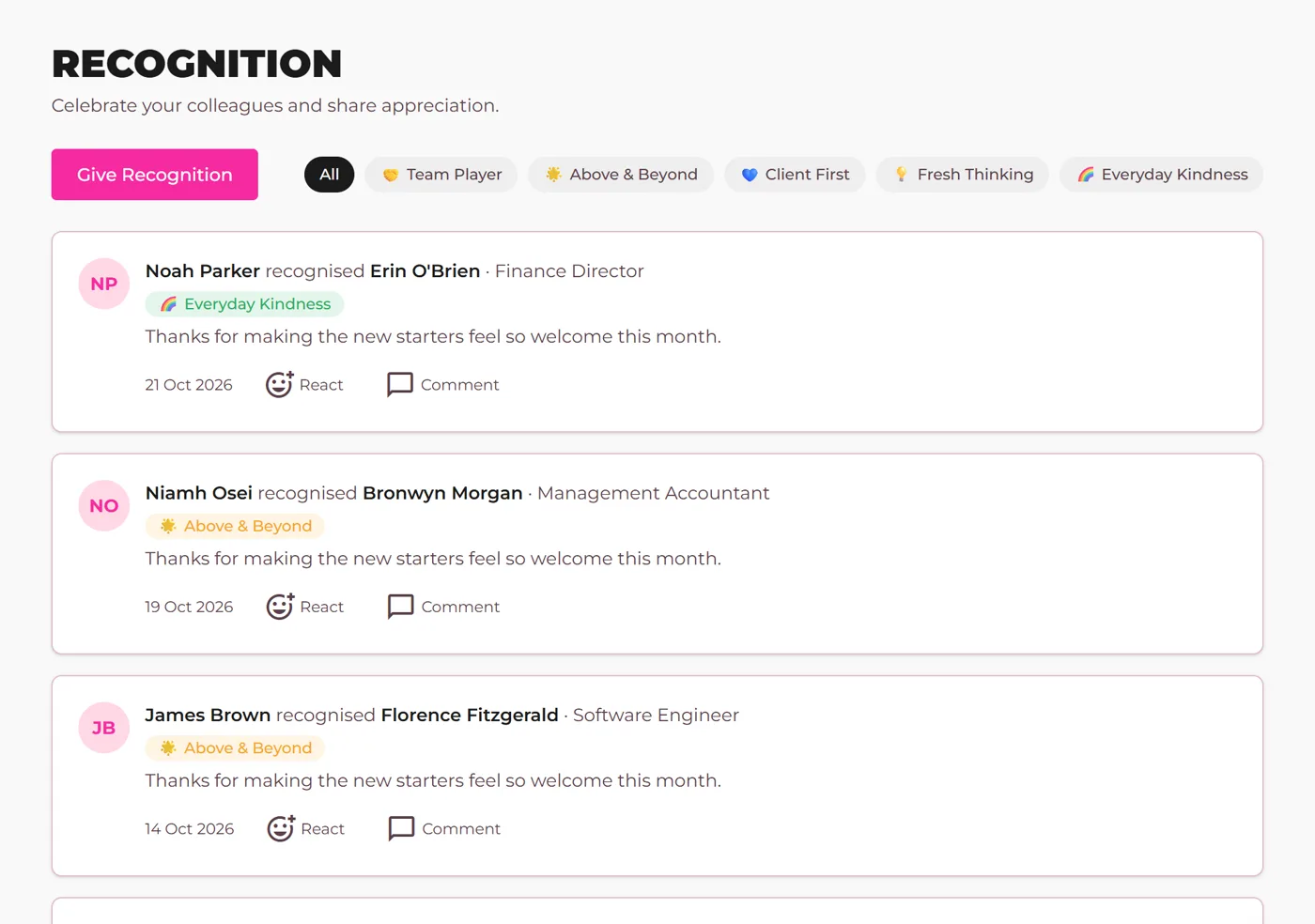
What it is. Switched on when you want it: colleagues thank each other in the app, tagged to your own company values, and the thanks shows in the company feed.

What it does for you. Good work gets noticed by more people than the one who saw it.

How it works, in the help docs Ask us to switch it on
A recognition feed with thanks tagged to company values
Demonstration company. Everyone shown is made up.
On request Employee app and admin portal

Leave and absence

What it is. Holiday requests and approvals with your own leave types and allowances, live balances, sickness logged by date, and company closures and bank holidays on one calendar. Your own leave types with their colours, line managers approving their own team, half-day sickness in the morning or afternoon, and each person's upcoming leave on their home page.

What it does for you. No more spreadsheet of who is off. Managers approve requests in the app, and everyone can see their own balance.

How it works, in the help docs Ask us to switch it on
Demonstration company. Everyone shown is made up.
Employee app

A first-visit tour

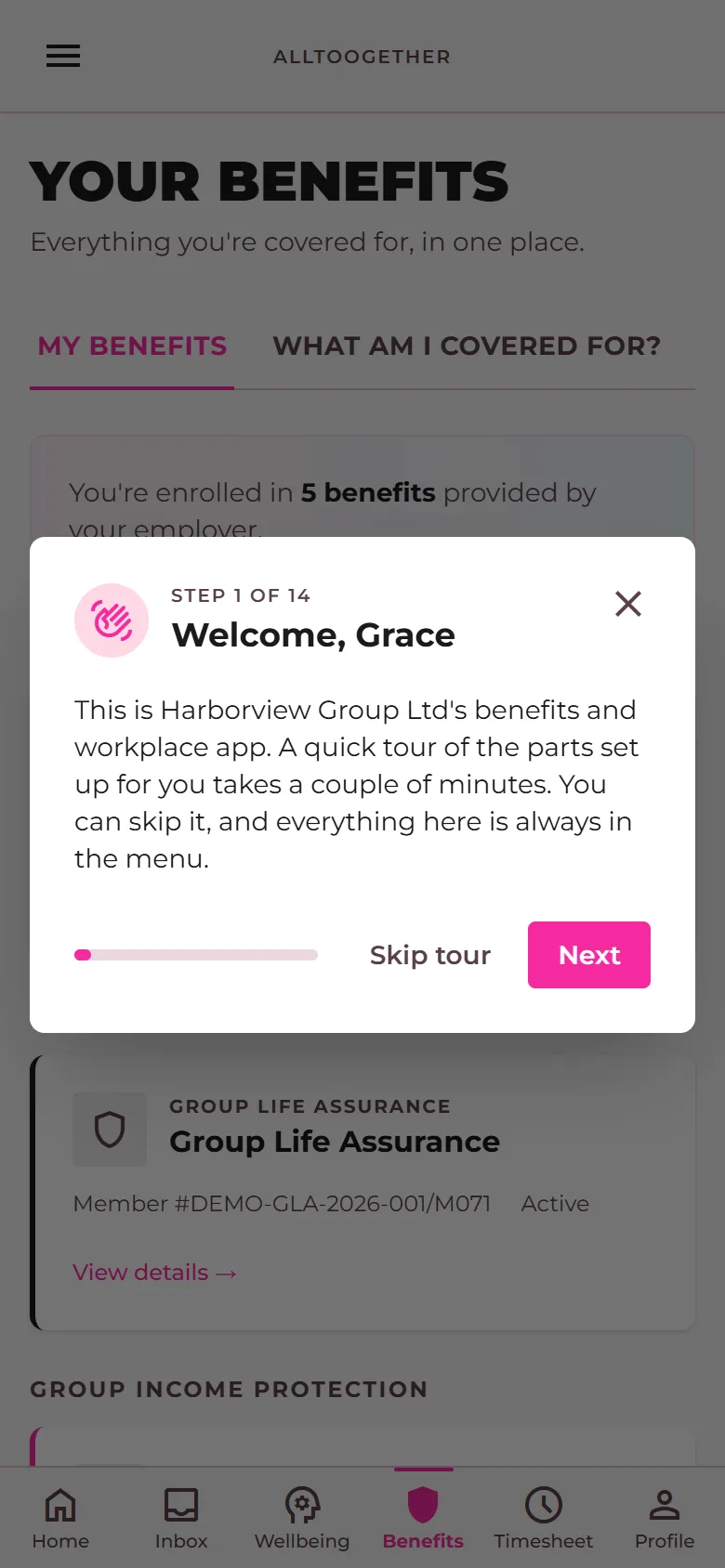
What it is. A short guided tour on first sign-in, one stop per menu item, which resumes where it was left and carries across devices.

What it does for you. New users find their benefits in the first minute, not the first month.

How it works, in the help docs
The first stop of the tour on the Benefits page
Demonstration company. Everyone shown is made up.
Employee app and admin portal

The wellbeing check-in

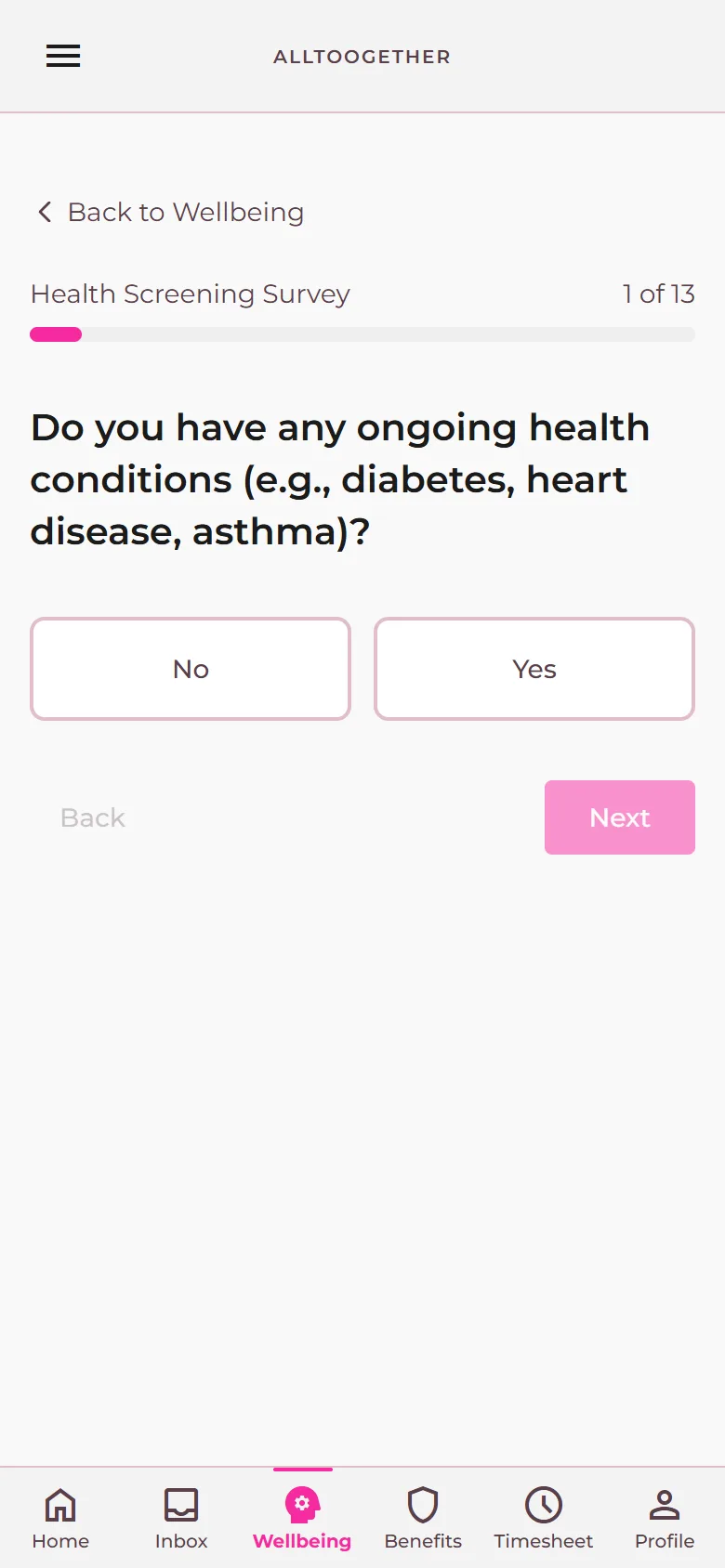
What it is. Three short questions each fortnight about how work is going, from a set of nine, in under a minute. It is anonymous and non-clinical.

What it does for you. You see how working life is going across the organisation between annual surveys, reported only as averages of five or more people, and anyone who answers is pointed to the support the company already pays for.

How it works, in the help docs
Demonstration company. Everyone shown is made up.
Admin portal and employee app

Company calendar and closure days

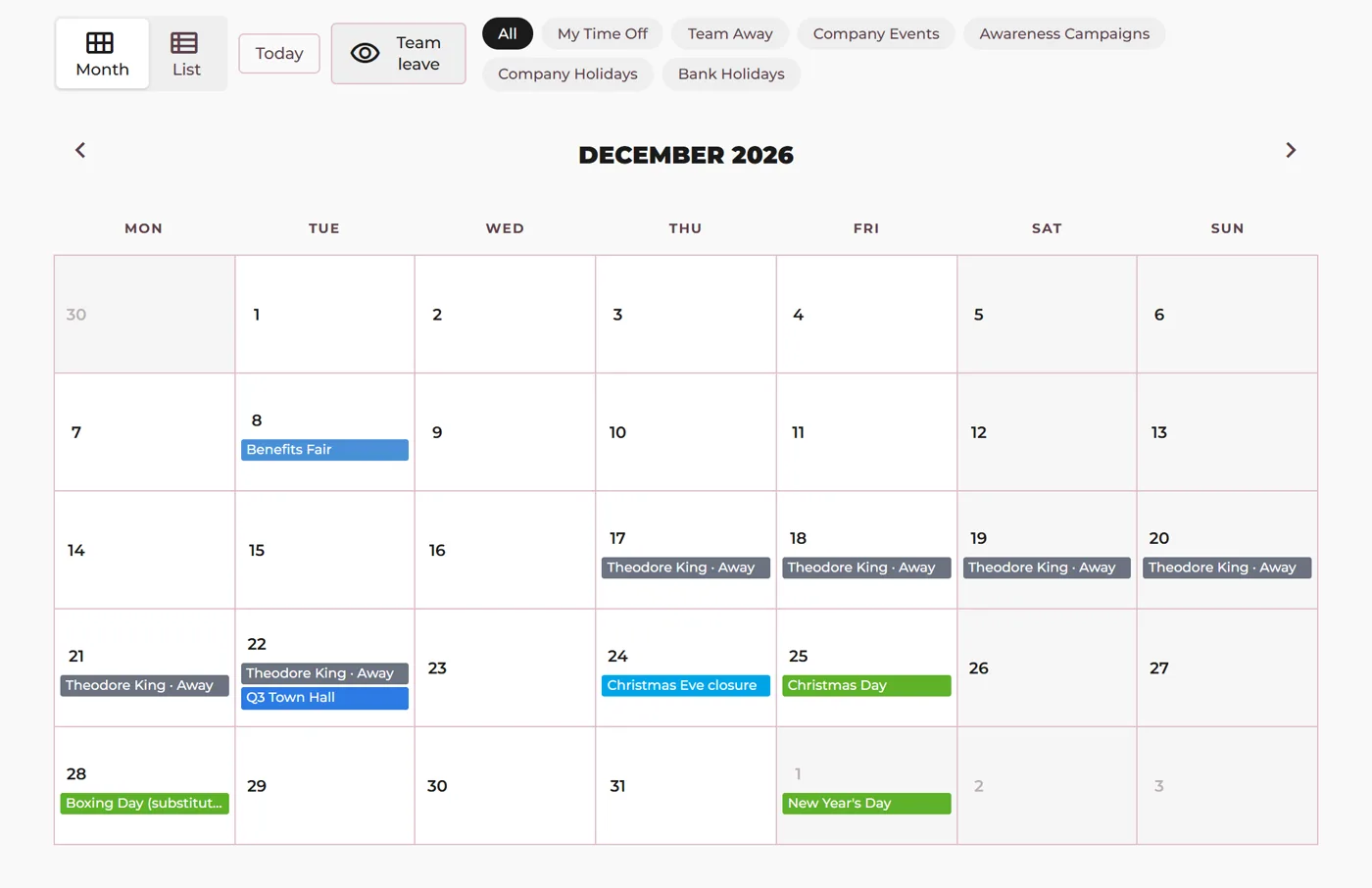
What it is. Company events and closures on one calendar with bank holidays. A closure books itself against leave, individuals can be excused from it, and a team-away view shows who is off.

What it does for you. Nobody books holiday for a day the office is shut, and managers see cover at a glance.

How it works, in the help docs
The company calendar with a closure day and the team-away view
Demonstration company. Everyone shown is made up.
Employee app

Expert Chat

What it is. A chat button on every page of the app. People ask an Alltoogether benefits specialist how to use their cover, and get a reply from a person.

What it does for you. Questions about cover get answered quickly and properly, and HR is not the help desk for insurance.

How it works, in the help docs
Demonstration company. Everyone shown is made up.
Email

Results emails

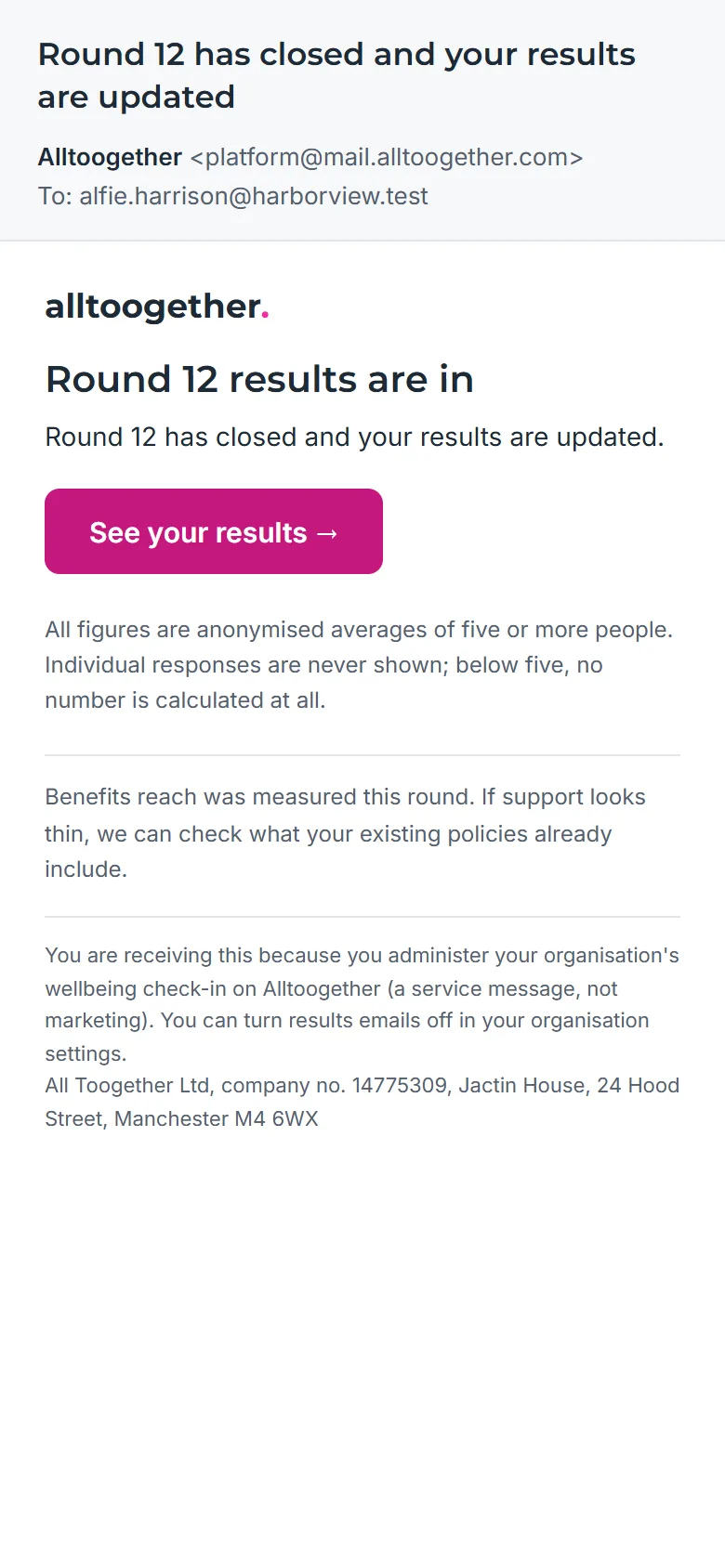
What it is. An invitation each round, one reminder after 48 hours, a first-results note and a round-closed note. No scores appear in any email.

What it does for you. Response rates hold up without anyone chasing.

How it works, in the help docs
A round-closed email with no scores in it
Demonstration company. Everyone shown is made up.
Admin portal and employee app

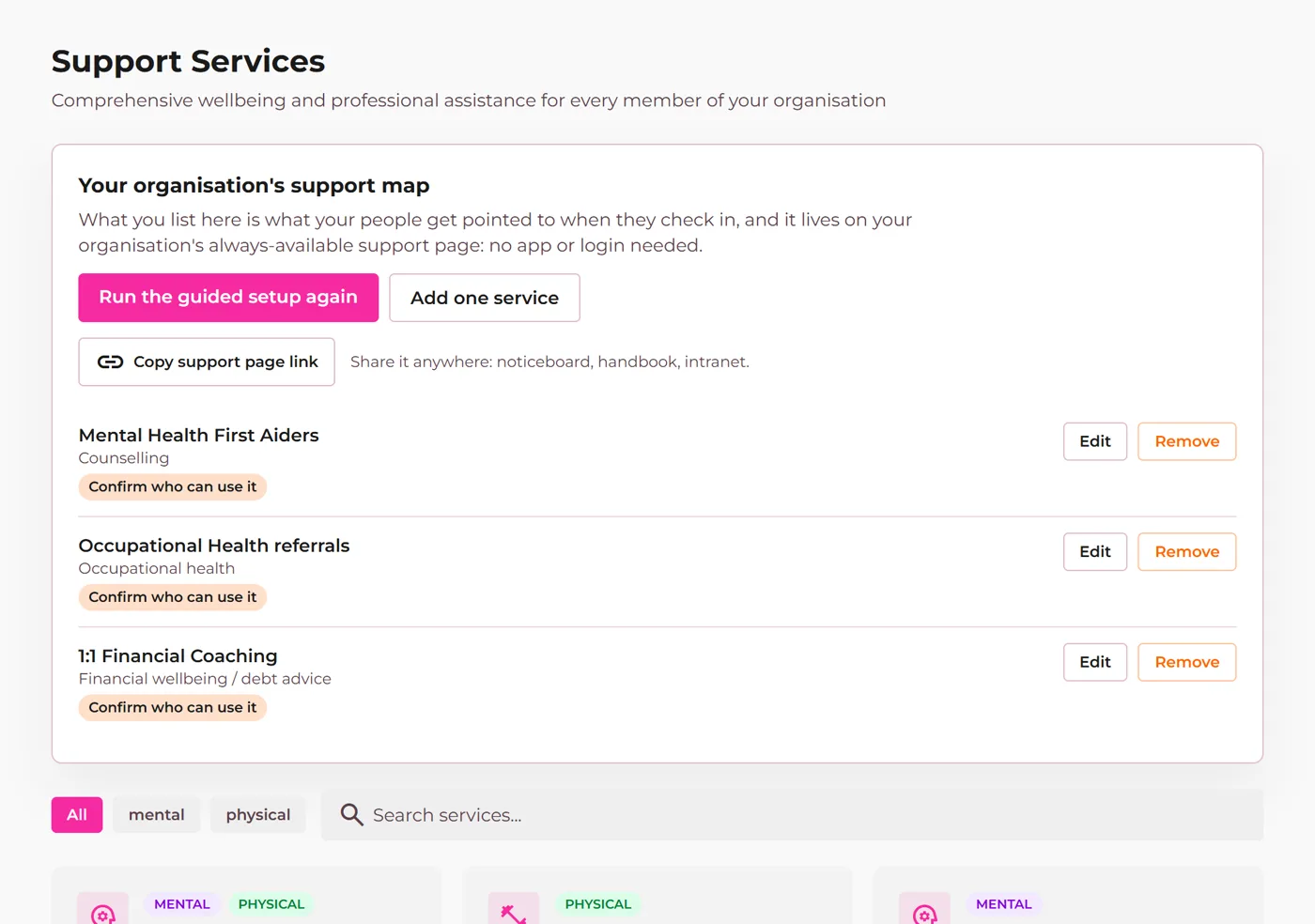
The support map and a no-login support page

What it is. The support that comes with your policies is listed automatically. HR adds what the company provides itself through a guided walkthrough. A printable page lists it all with no login, for noticeboards and induction packs.

What it does for you. Everyone can find the help the company already pays for, including people who never open the app.

How it works, in the help docs
The support map with insured services and the company's own services
Demonstration company. Everyone shown is made up.
Employee app

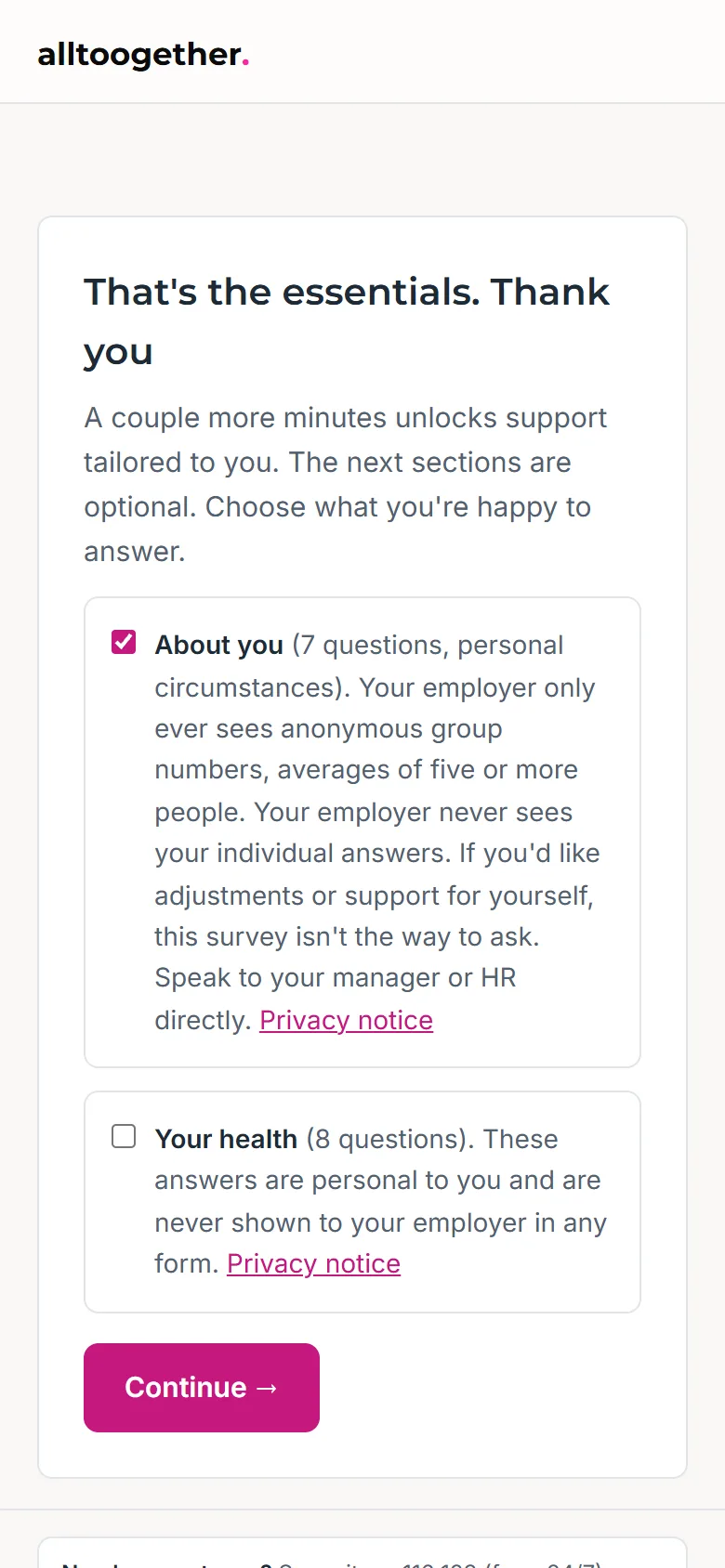
The welcome survey

What it is. A one-off baseline when someone joins the check-in, with two optional sections about circumstances and support priorities, each with its own consent and its own promise.

What it does for you. The organisation's picture starts on day one, and each person's support page is ordered around what they said matters, which only they see.

How it works, in the help docs
An employee reads the consent for an optional section of the welcome survey
Demonstration company. Everyone shown is made up.
On request Employee app and admin portal

Projects and time tracking

What it is. Projects with hour budgets and project leads. Staff log time against them each day, and the admin portal shows hours used against each budget. Hours by month with a month stepper, and an export by person.

What it does for you. You know where the hours go and when a project is running over, before the invoice.

How it works, in the help docs Ask us to switch it on
Demonstration company. Everyone shown is made up.
Admin portal and employee app

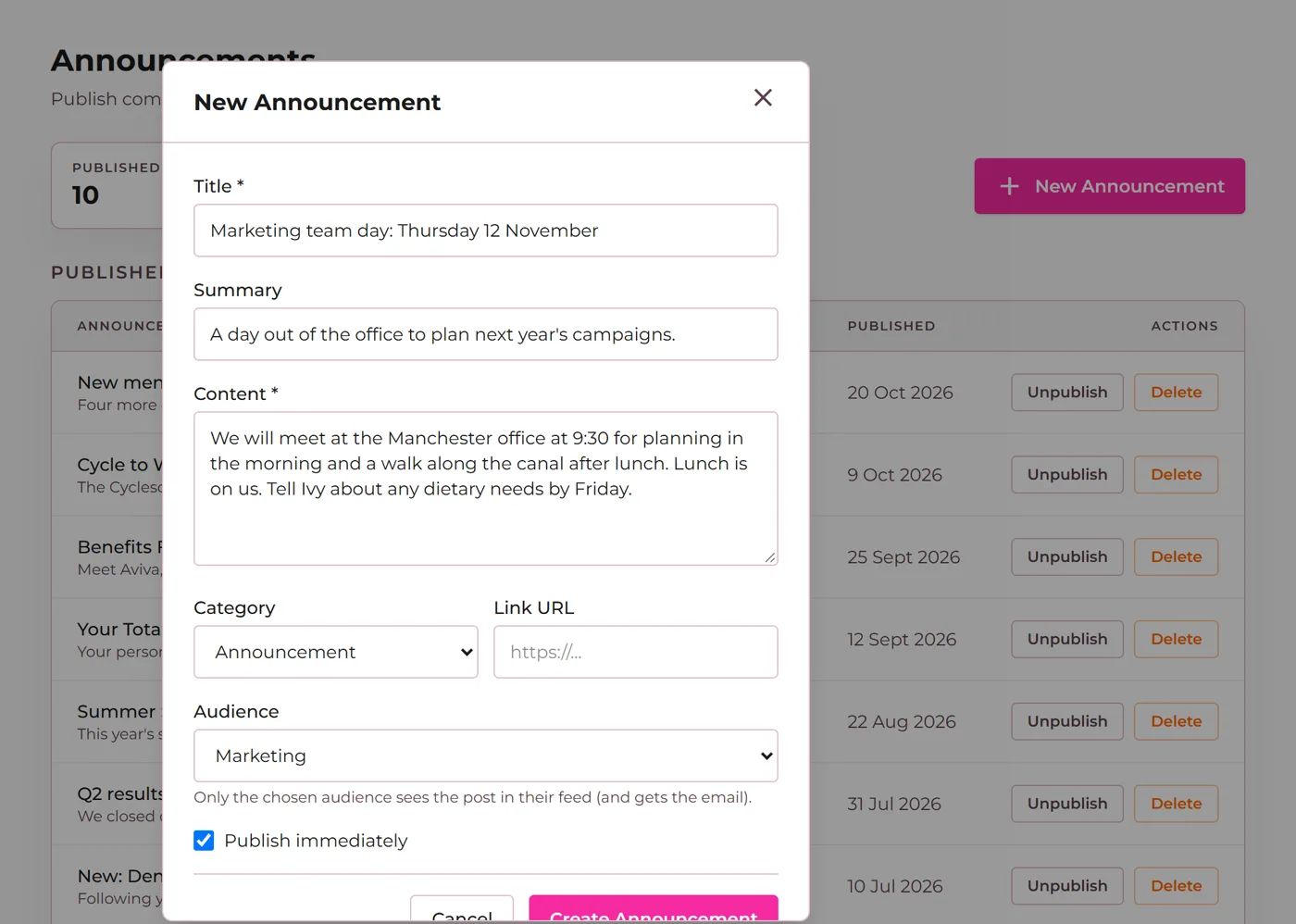
Announcements with audiences

What it is. Publish company news to everyone, one department, one location or the members of one policy. Each post goes to the feed and is emailed once, never again on edit.

What it does for you. The right people hear the news, and HR stops sending all-staff emails that half the company ignores.

How it works, in the help docs
An admin publishes an announcement to one department
Demonstration company. Everyone shown is made up.
Admin portal

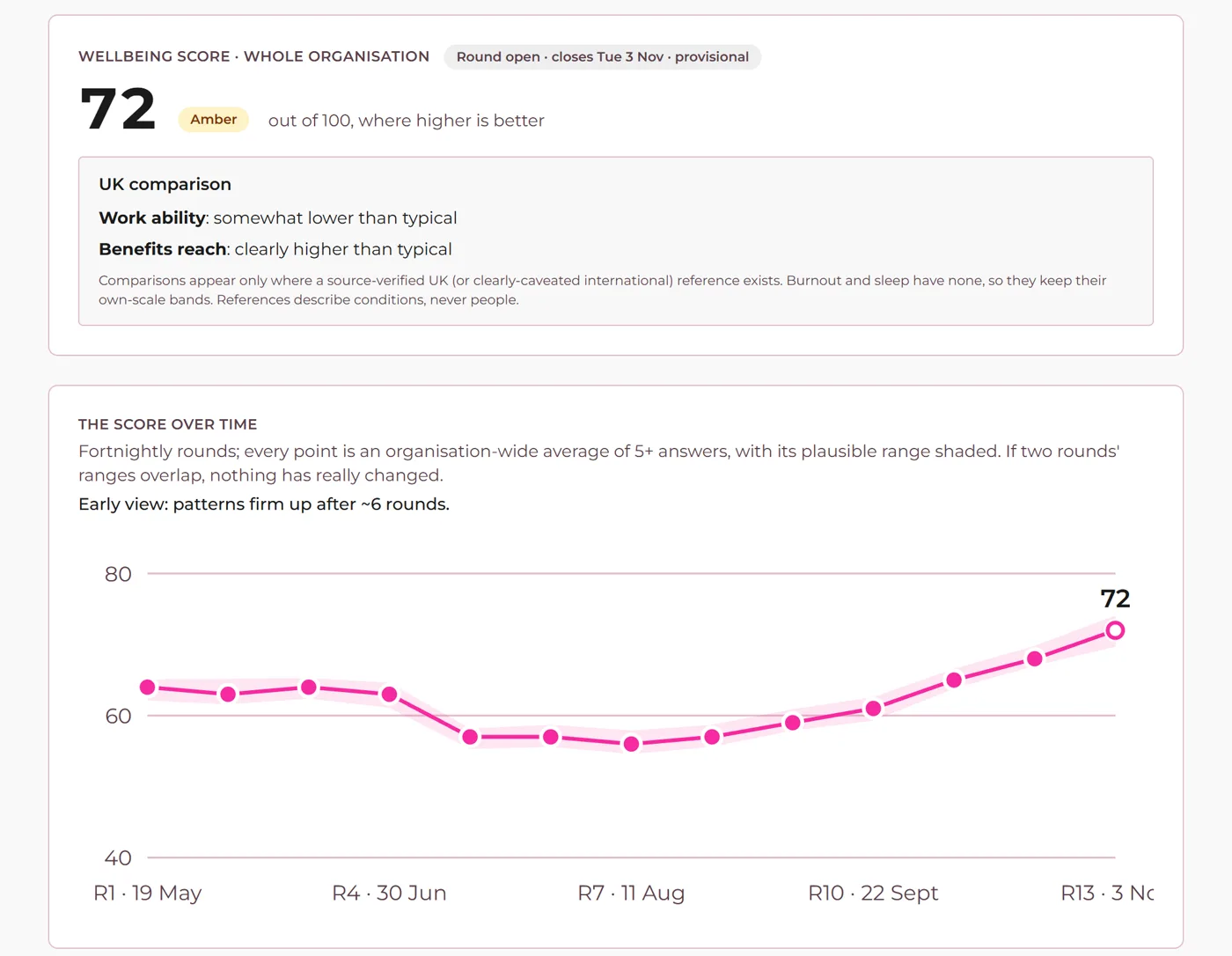
The organisation wellbeing dashboard

What it is. A wellbeing index with its confidence range, results by area sorted lowest first, trends from round three and participation. A simple view and a detailed one, and a printable overview report.

What it does for you. HR sees how work is going between surveys, as averages of five or more people, and knows what to talk about next.

How it works, in the help docs
The organisation wellbeing dashboard for a demonstration company
Demonstration company. Everyone shown is made up.
Employee app and admin portal

Home, inbox and tasks

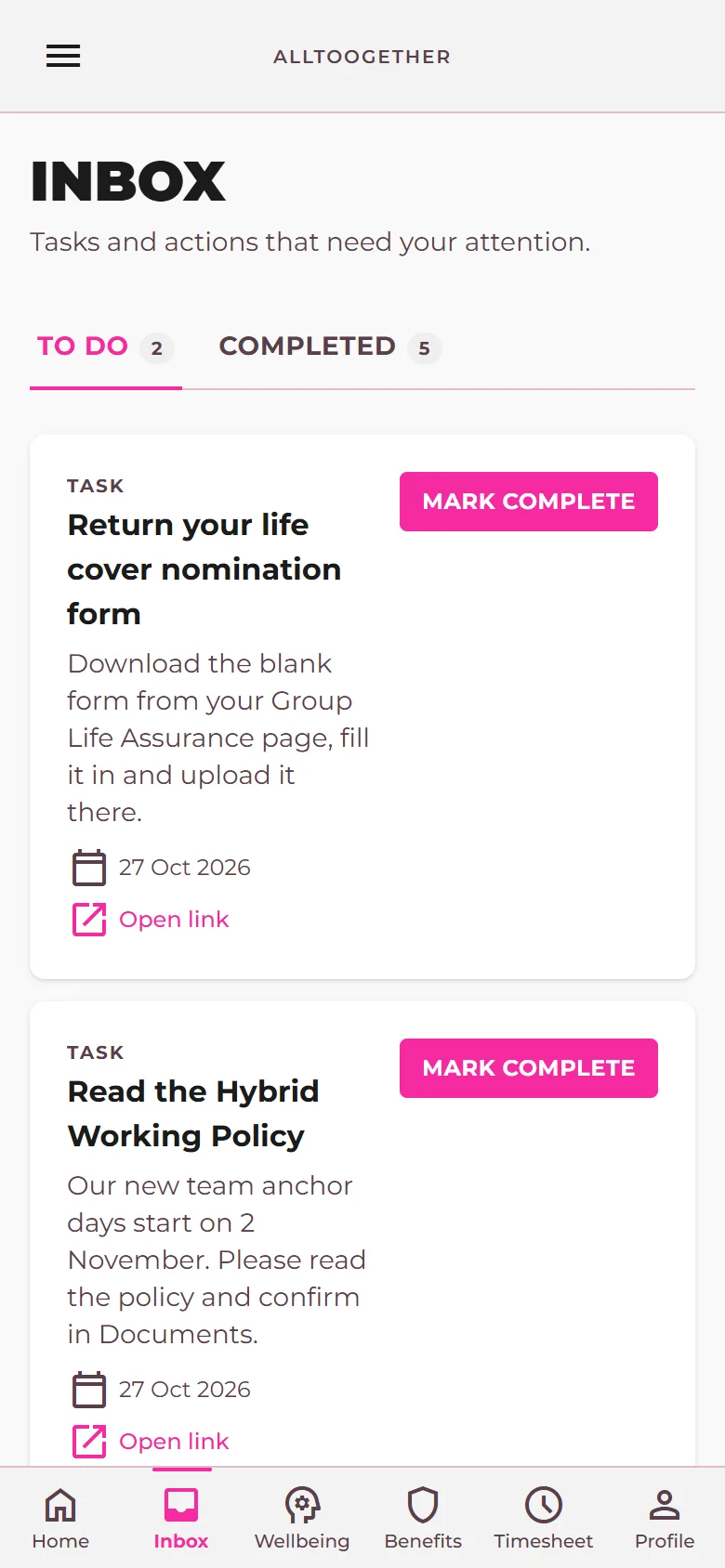
What it is. A personal home page with what needs attention, upcoming leave and company news. HR assigns tasks such as read a policy or complete a form; they land in the person's inbox and are emailed in 15-minute batches.

What it does for you. Things HR asks for get done without chasing, and there is a record of what is still open.

How it works, in the help docs
The inbox with two tasks from HR waiting
Demonstration company. Everyone shown is made up.

July 2026

12 updates

On request Employee app and admin portal

Life cover nomination forms

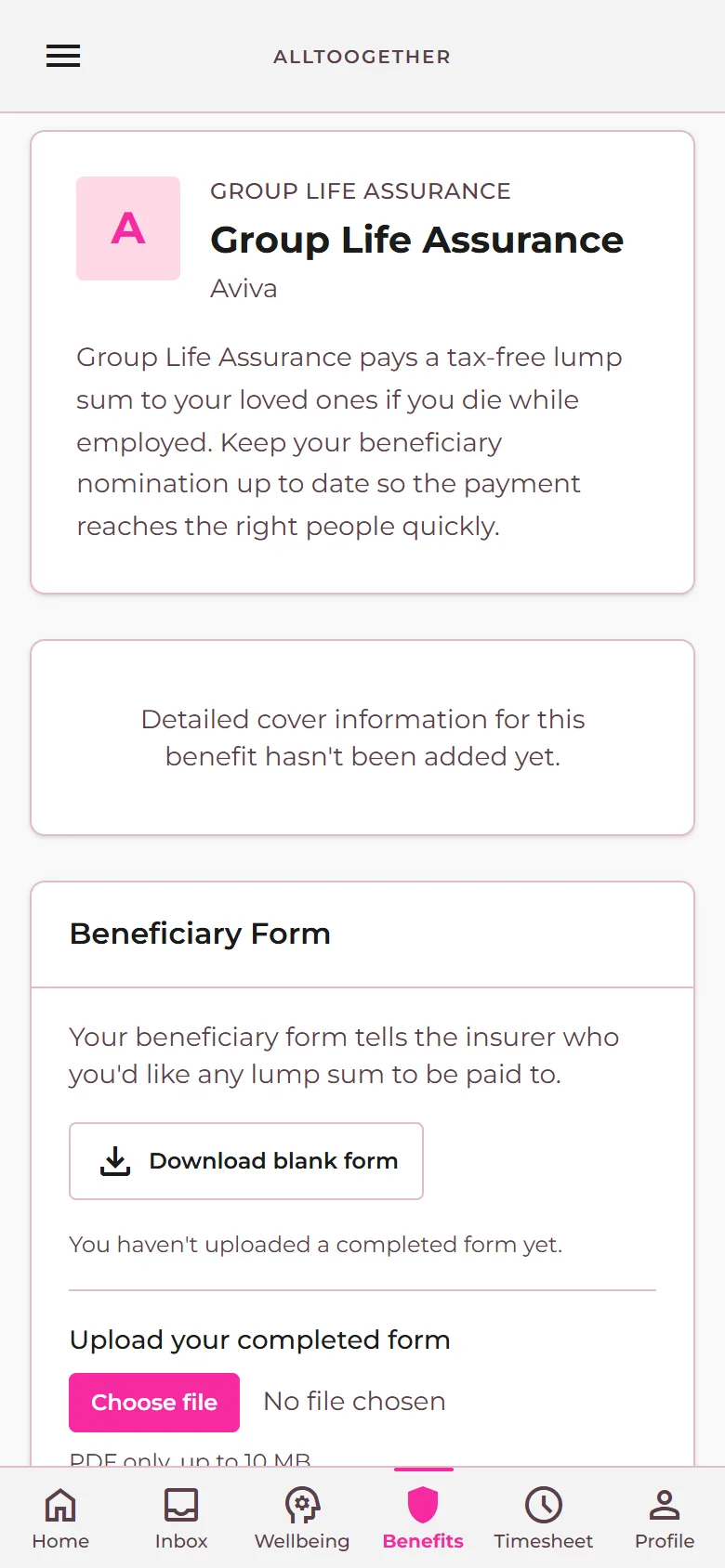
What it is. HR uploads the blank beneficiary form once. Members download it, upload the completed copy from the app and can get it back later. Members who have not returned one are reminded.

What it does for you. Nominations are done and on file before anyone needs them.

How it works, in the help docs Ask us to switch it on
A life cover benefit page with the nomination form to download and return
Demonstration company. Everyone shown is made up.
Admin portal

Benefits estate and renewals timeline

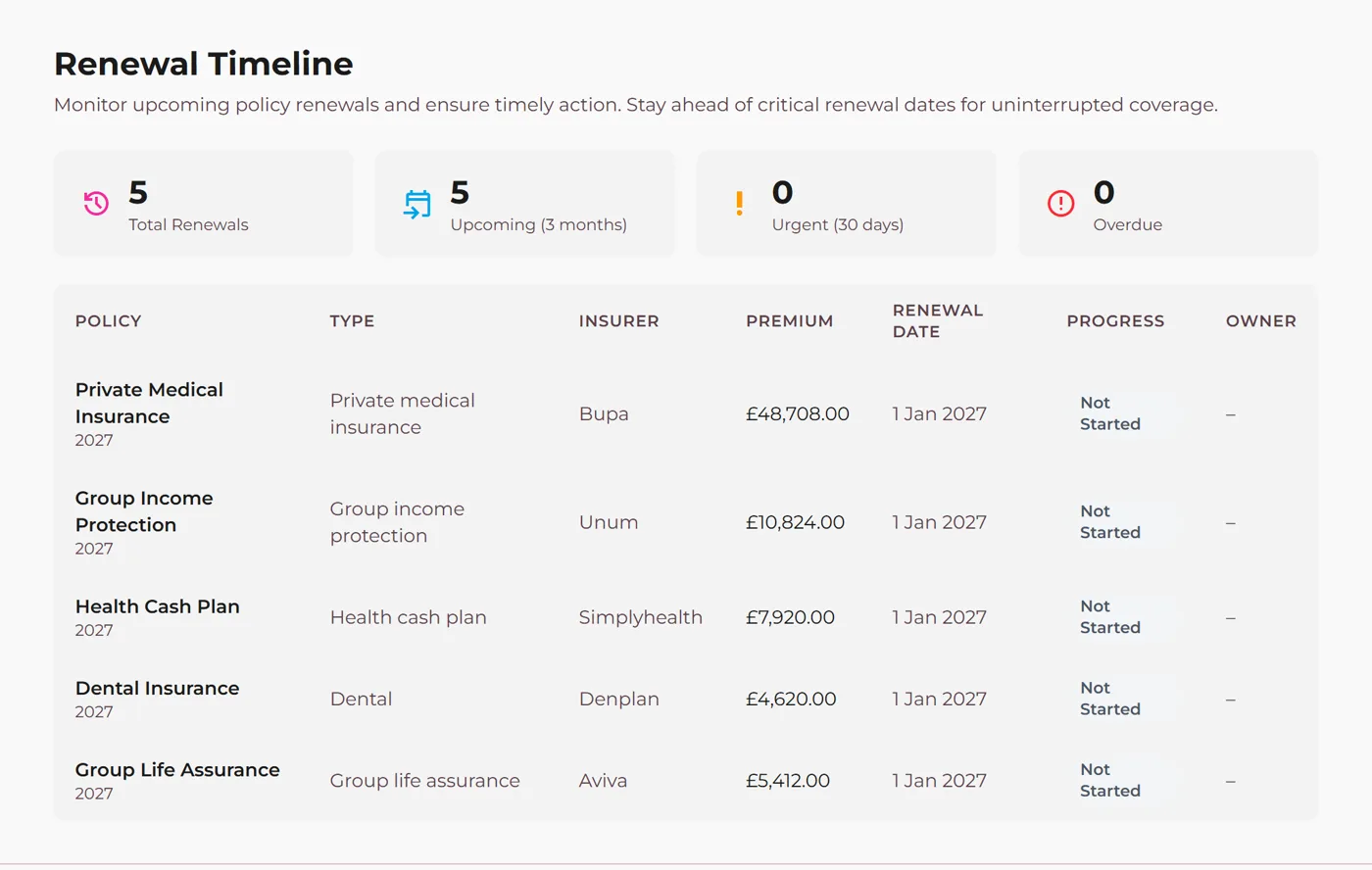
What it is. Every policy with its insurer, premium, renewal date and live members, grouped by renewing within 30 days, 90 days or overdue. Member lists download in the shape insurers expect.

What it does for you. No renewal arrives as a surprise, and renewal admin takes minutes.

How it works, in the help docs
The renewals timeline for a demonstration company
Demonstration company. Everyone shown is made up.
Admin portal

Invites, join links and the joining poster

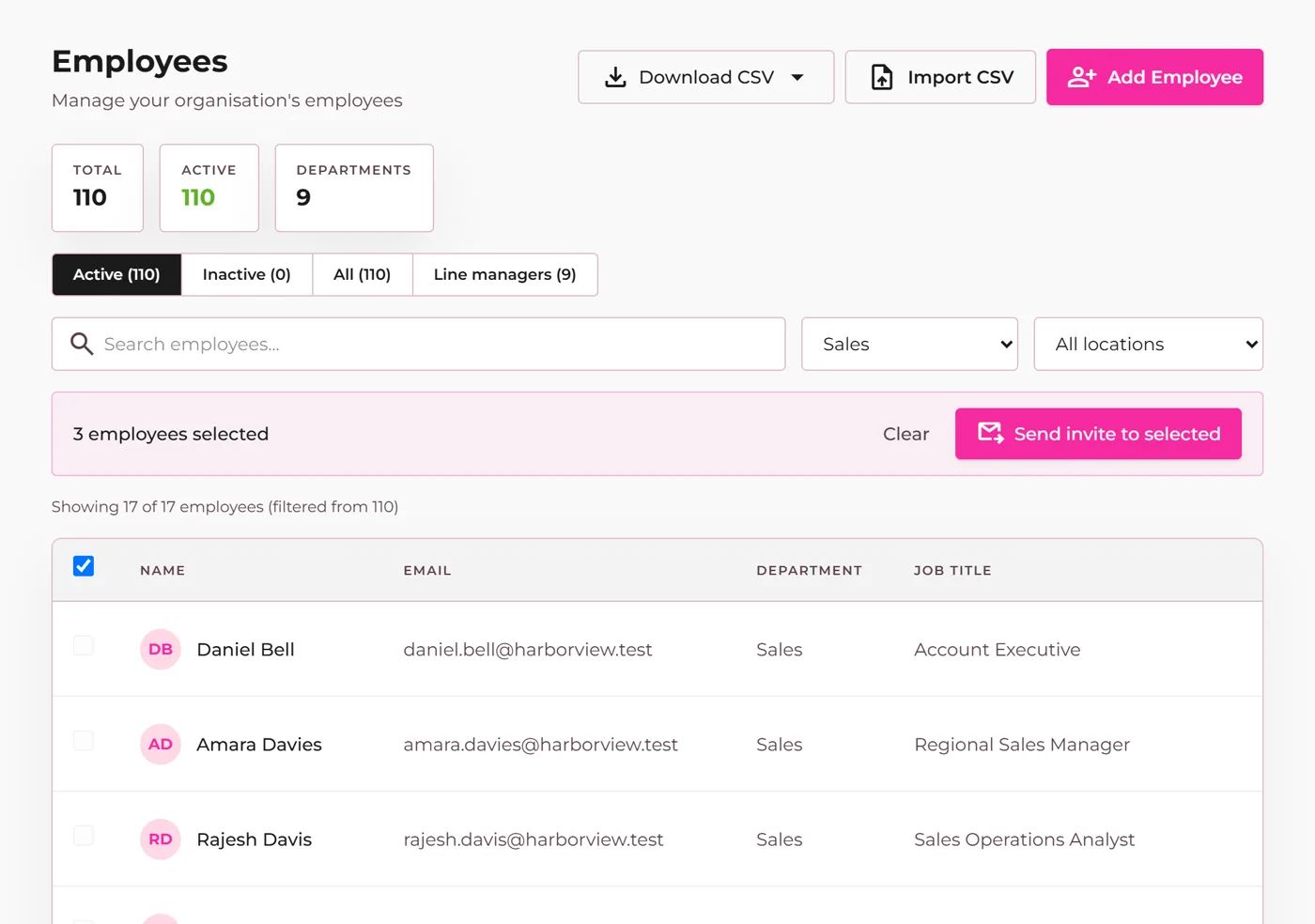
What it is. Invite one person or everyone in a click, resend, and see who has signed in. A 30-day join link and an A4 QR poster let staff add themselves.

What it does for you. A whole company is on the platform in an afternoon, with a record of every invite.

How it works, in the help docs
An admin selects several people and sends their invites together
Demonstration company. Everyone shown is made up.
Employee app

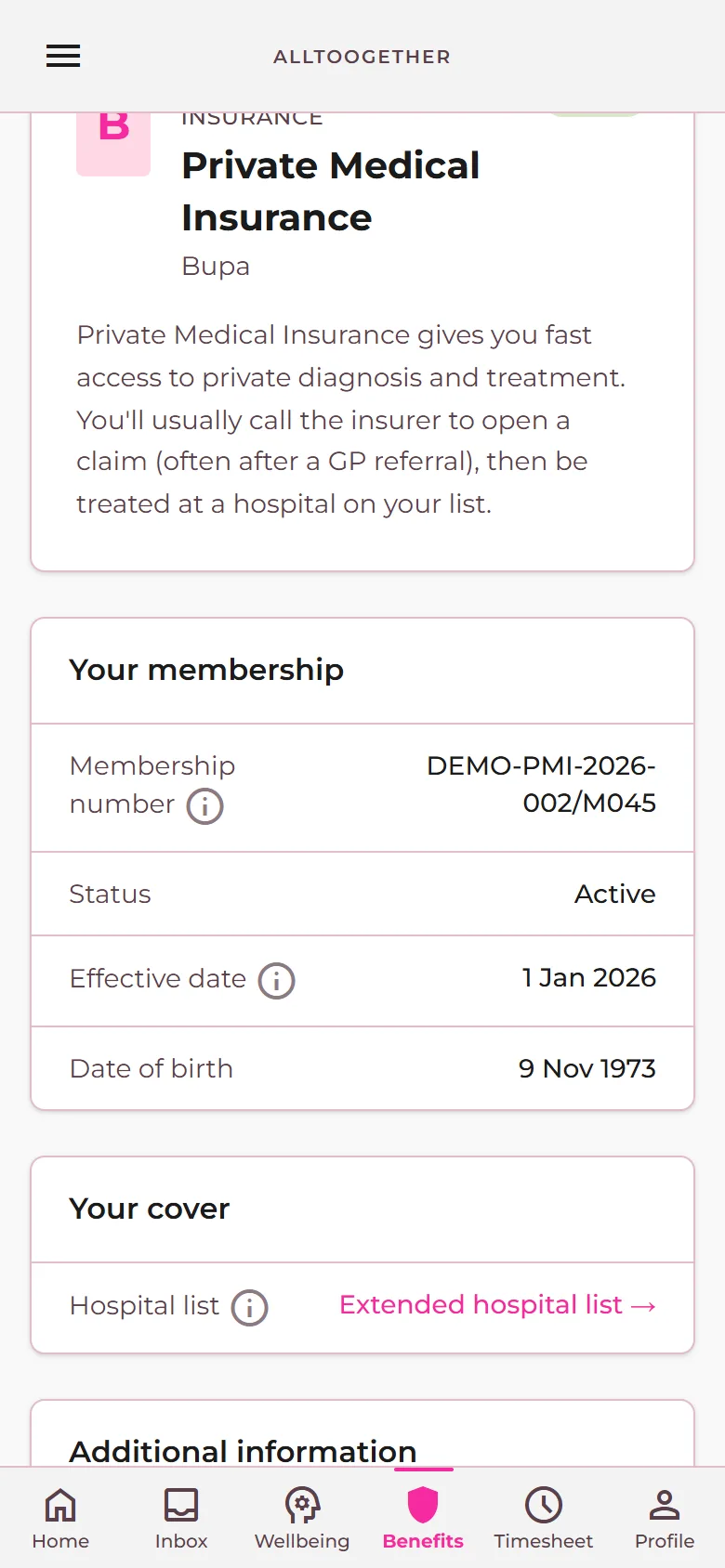
Hospital finder for private medical

What it is. Members of a private medical policy search for hospitals their cover allows, from their benefit page.

What it does for you. People check before they book, and fewer claims go wrong.

How it works, in the help docs
A private medical benefit page with the link to its hospital list
Demonstration company. Everyone shown is made up.
Employee app and admin portal

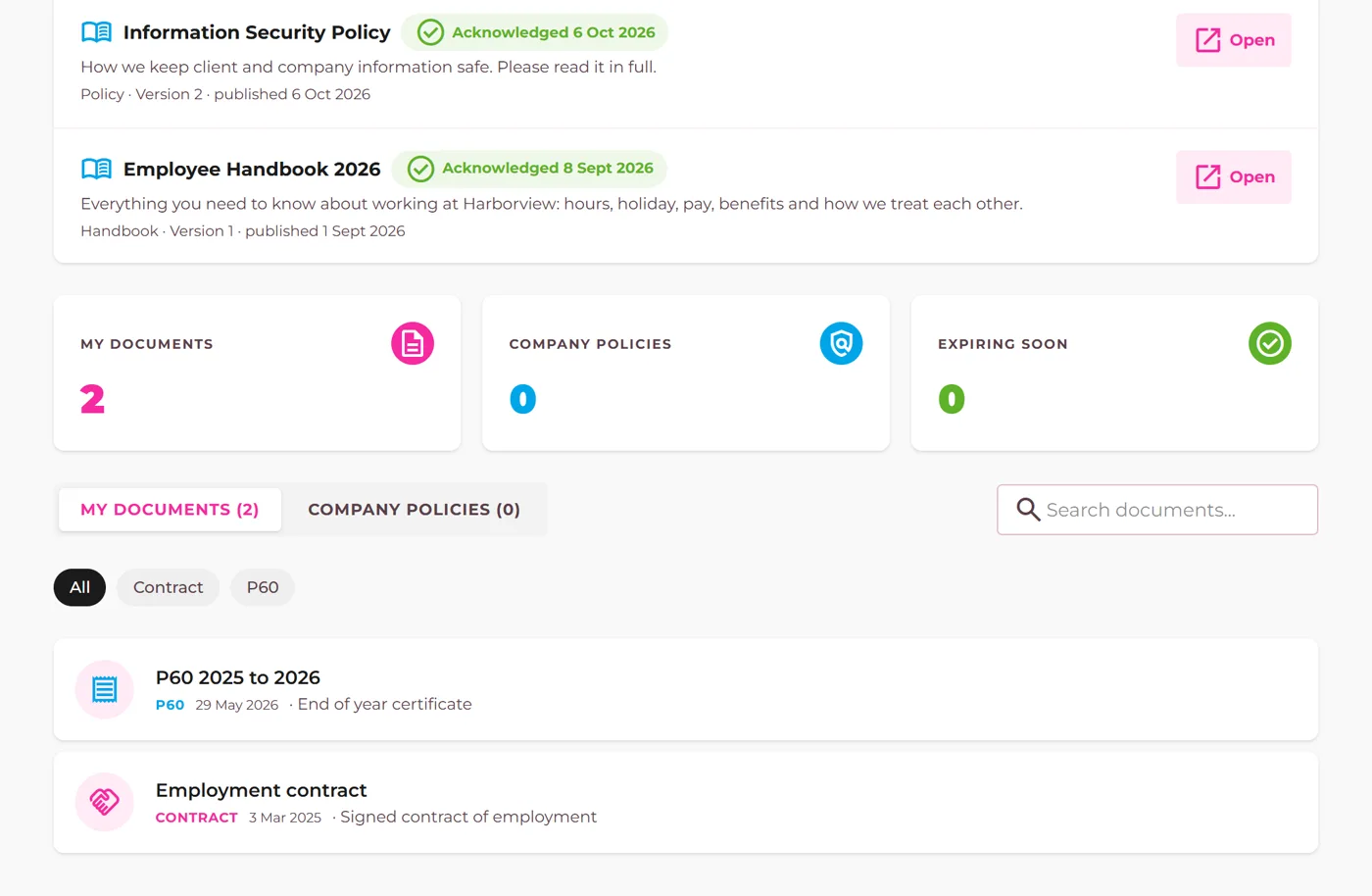
Documents in one place

What it is. Policy documents attached to each insurance policy, and personal documents such as contracts and P60s that only the person can see, with expiry flags and a confidential marker.

What it does for you. People find the document they need without asking HR, and HR knows what is expiring.

How it works, in the help docs
The documents hub listing policy documents and a personal document
Demonstration company. Everyone shown is made up.
Employee app and admin portal

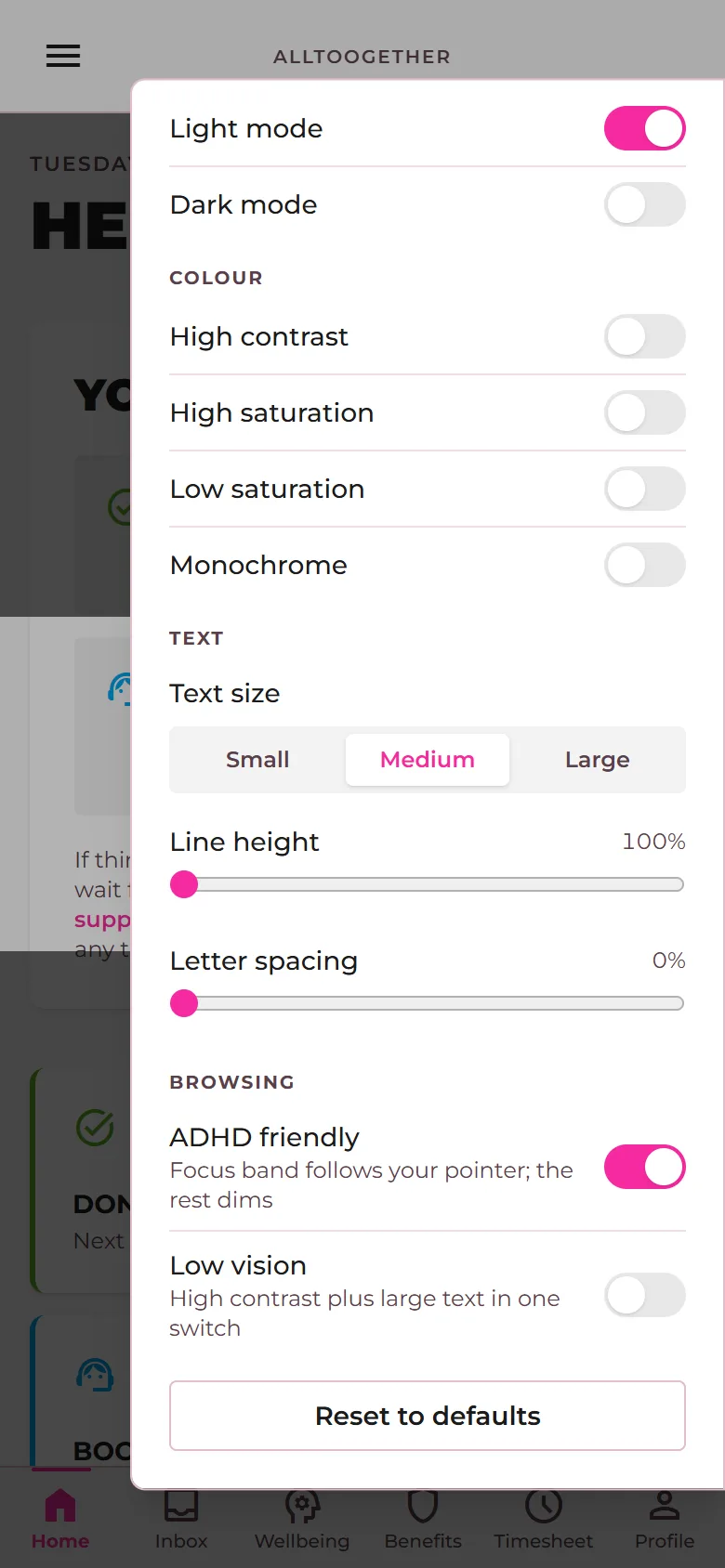
Accessibility built in

What it is. Text size, spacing, contrast, colour saturation, dark mode and a focus band that dims everything except the line being read. Settings are remembered on the device.

What it does for you. People who find screens hard to read use the app without asking anyone for anything.

How it works, in the help docs
An employee turns on the focus band from the accessibility menu
Demonstration company. Everyone shown is made up.
Admin portal

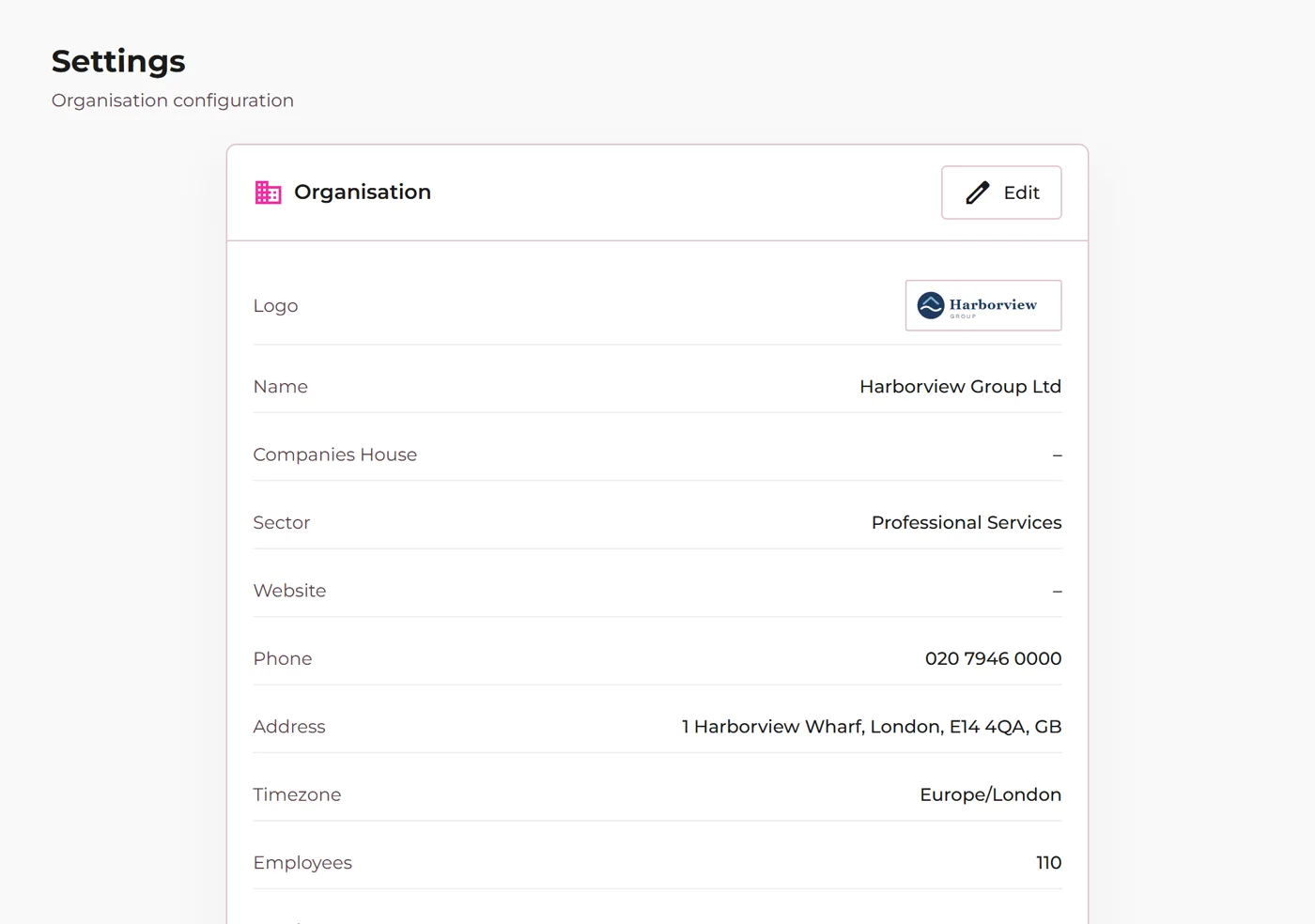
Your brand, your roles

What it is. Company profile, logo across the employee app, your leave year and your company values. Three roles: org admin, HR admin, and line manager, who sees only their own team's leave and never anyone's pay.

What it does for you. The app looks like yours, and managers approve leave without seeing what anyone earns.

How it works, in the help docs
Organisation settings with the company logo
Demonstration company. Everyone shown is made up.
On request Admin portal and employee app

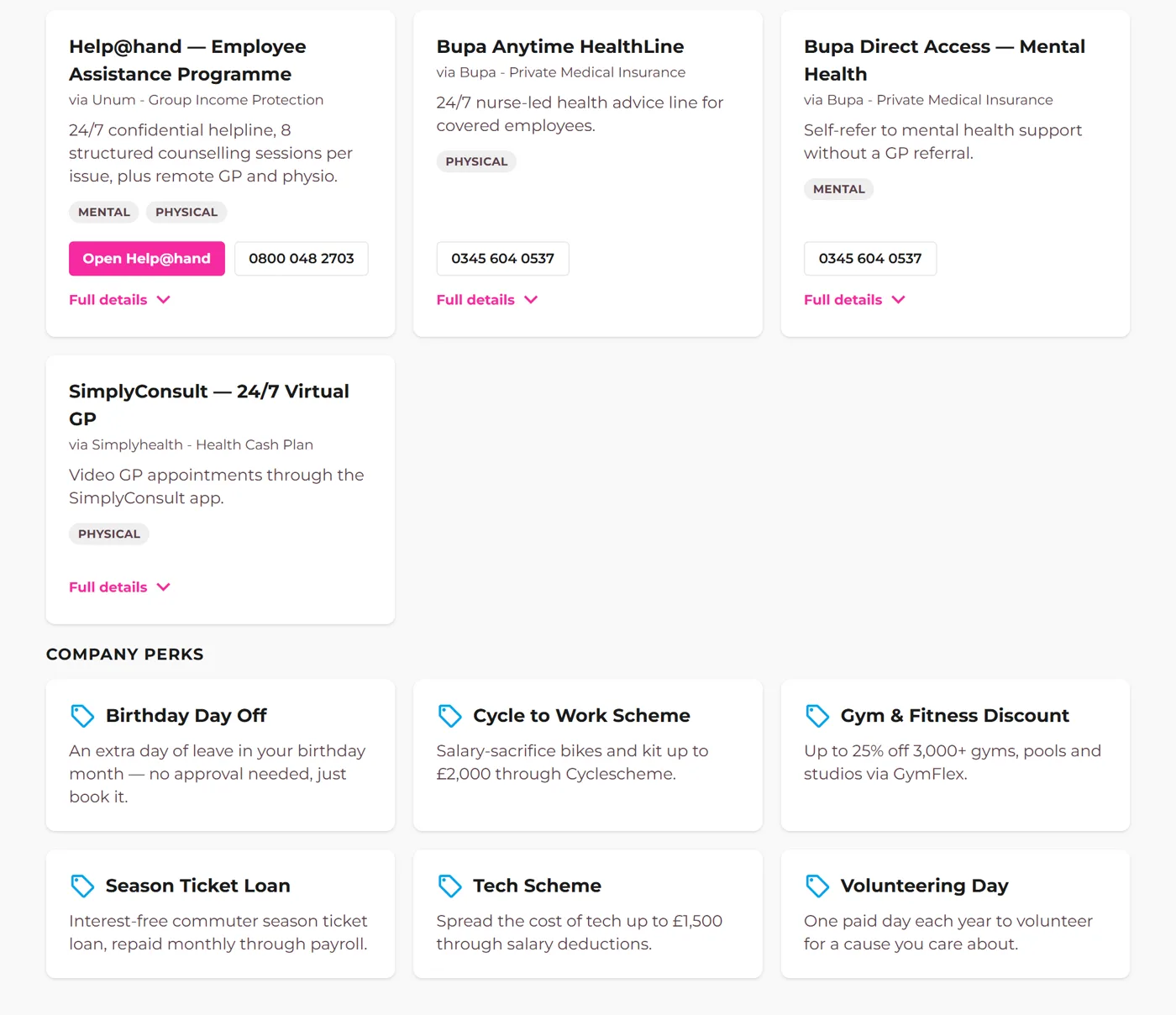
Company perks

What it is. The extras beyond insured benefits: lunches, discount schemes, season ticket loans, each with a description and link, shown beside each person's cover.

What it does for you. The whole package is visible in one place, so perks get used.

How it works, in the help docs Ask us to switch it on
Company perks listed beside insured benefits
Demonstration company. Everyone shown is made up.
Employee app and admin portal

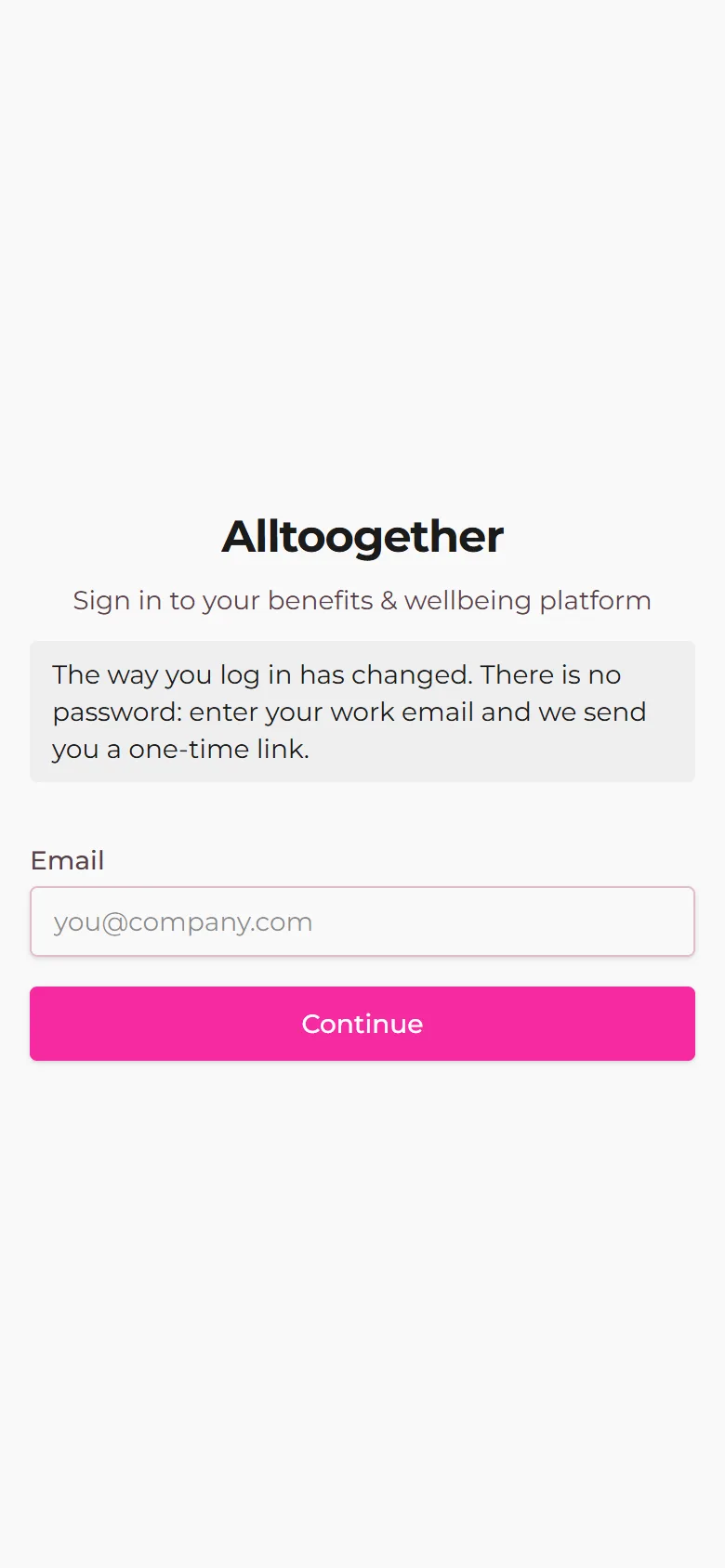
Sign in without passwords

What it is. People sign in with their work email and a one-time link. There are no passwords to forget or to phish, and a link only works when a person clicks it, so mail scanners cannot use it up.

What it does for you. Nobody is locked out, and HR never resets a password again.

How it works, in the help docs
The sign-in screen asking for a work email
Demonstration company. Everyone shown is made up.
Admin portal and employee app

People records, departments and locations

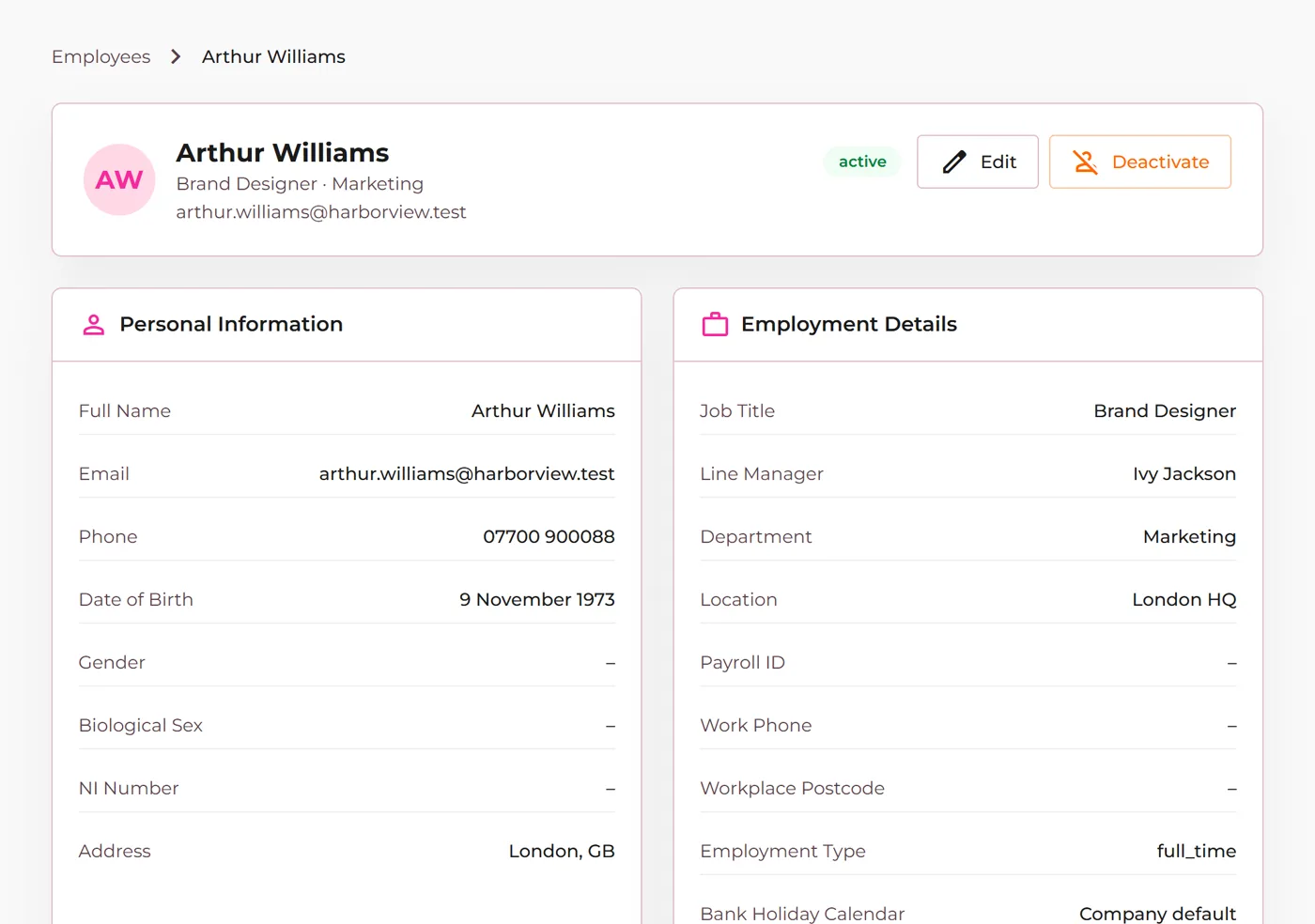
What it is. Every employee's record with employment details, line manager, start and leave dates, and the departments and locations that feed filters, audiences and reports. People keep their own contact details current.

What it does for you. One accurate list of who works where, kept current by the people it describes.

How it works, in the help docs
An employee record in the admin portal with its line manager set
Demonstration company. Everyone shown is made up.
Admin portal

Reports and exports

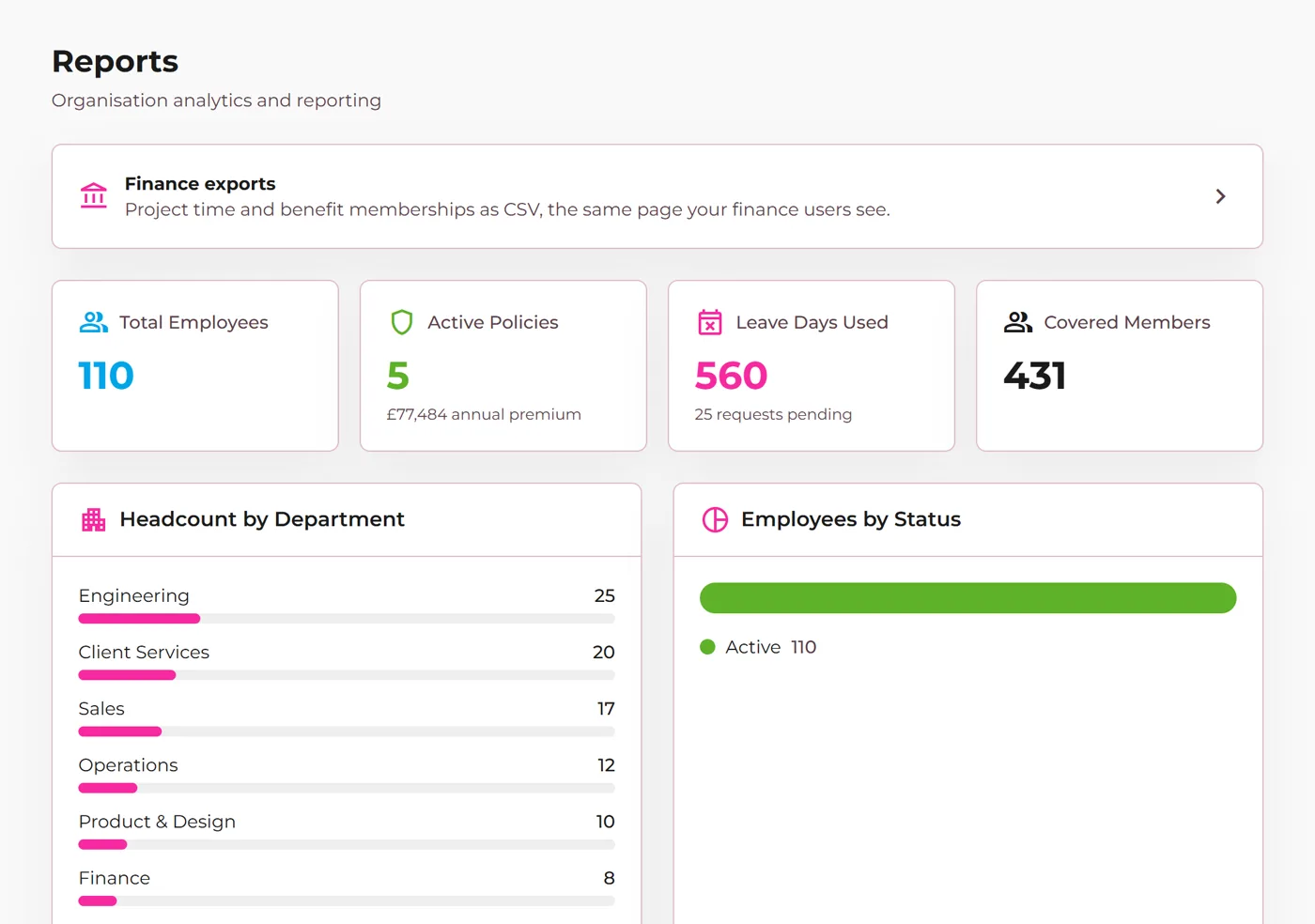
What it is. Headcount, leave, sickness and benefits summaries with CSV downloads. The wellbeing export holds only the same averages as the dashboard; there is no individual wellbeing export anywhere.

What it does for you. Finance and boards get the numbers without HR building spreadsheets.

How it works, in the help docs
The Reports page with headcount, policy, leave and membership figures
Demonstration company. Everyone shown is made up.
Employee app

Health check-in and deep dives

What it is. An optional set of lifestyle questions each quarter, answered privately, and short follow-up assessments on a single topic. The employer only ever sees averages of five or more people.

What it does for you. People get support pointed at what they said, and nobody at work sees their answers.

How it works, in the help docs
The optional health check-in on a phone
Demonstration company. Everyone shown is made up.

In development

Running on our own organisation before they reach clients. Ask us if one of these matters to your renewal.

  • The ShopEmployee app
  • Offers: electric car and cycle to workEmployee app and admin portal
  • Slack messages and status for HR, coming soonEmployee app and admin portal
  • The Alltoogether app for iPhone and AndroidEmployee app

Want something switched on?

Tell us which Just ask features you want, and we will switch them on and walk your admin through them.

Book a call

Last reviewed: 26 October 2026. Each update is dated the day it reached the platform.